Power
Power is a widget that displays your current battery on Anki’s main menu. Very simple, very straightforward. This add-on is not yet available for Windows.
Preview Credits
This app uses psutil, Copyright (c) 2009, Jay Loden, Dave Daeschler, Giampaolo Rodola. Licensed under the BSD 3-Clause License.
Support my work
I’m actively shipping updates and new features. If my add-ons helped your studies or workflow, consider supporting my work. Your contribution keeps the project maintained and free for everyone.
Screenshots

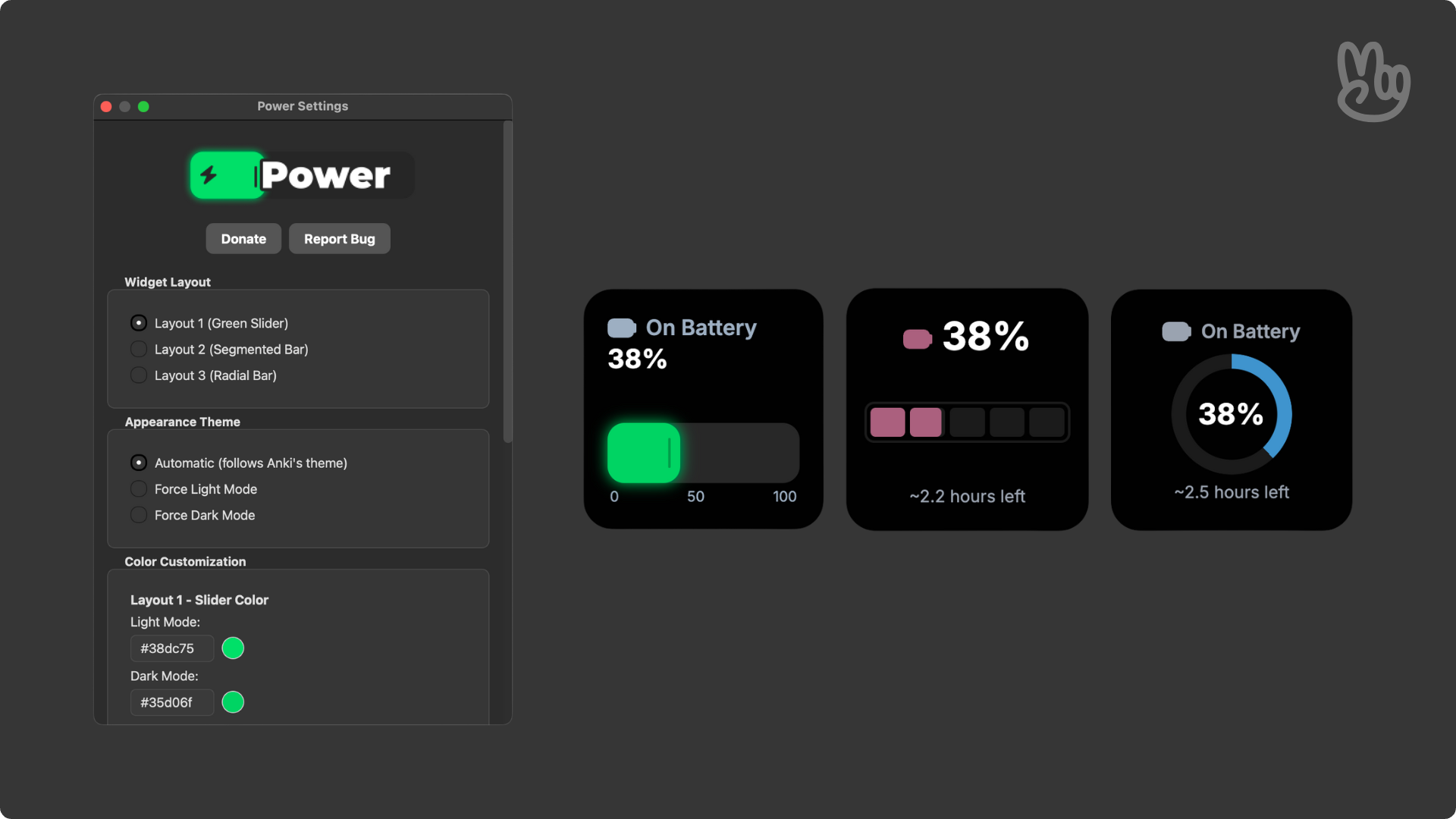

Liên kết hỗ trợ
Reviews (5)
👍 2026-01-09
Neat, I can see my laptops battery easily
👍 2026-01-08
Works awesome. Could it be possible to make it have other batteries visible (airpods, phone, ect.) like the apple widget? Comment from author Great to hear that! I believe this is possible, even though not planned on a near future unfortunately, since I try to adapt each add-on to various OS, that would be a huge step to take. But never say never!
👍 2026-01-06
Great, not sure if it’s just me, but it reset the colouring :/ Comment from author Hi there, thanks for using Power :)
If possible, open an issue on GitHub, this way I’m able to track the bug and fix it for you on a future update. Thanks! https://github.com/thepeacemonk/Power
👍 2026-01-05
Already working, thank you! Comment from author before post was edited (01/01/2026) Hi again,
Power is officially functional on Windows, thank you once again for letting me know.
Hi there! Thanks for the honest review.
So far, due to limitations of the program that collects the data from Windows (psutil), this add-on in fact doesn’t work on Windows. If you wanna file an Issue on GitHub that would be very helpful for me, since I’m trying to solve this problem blindly since I code o
👍 2025-10-16
Anki 25.09 (539054c3) (ao) Python 3.13.5 Qt 6.9.1 PyQt 6.9.1 Platform: Windows-10-10.0.19045-SP0
When loading Power - Check your battery from your Anki menu by Peace: Traceback (most recent call last): File “C:\Users\Admin\AppData\Local\AnkiProgramFiles.venv\Lib\site-packages\aqt\addons.py”, line 250, in loadAddons import(addon.dir_name)
File "C:\Users\Admin\AppData\Roaming\Anki2\addons21\643961895\__init__.py", line 8, in <module>
import psutil
