QuickSearch Selector Add-on for Anki
This add-on allows you to quickly search selected text using predefined online tools and search engines. It also supports auto-popup functionality that triggers when text is selected.
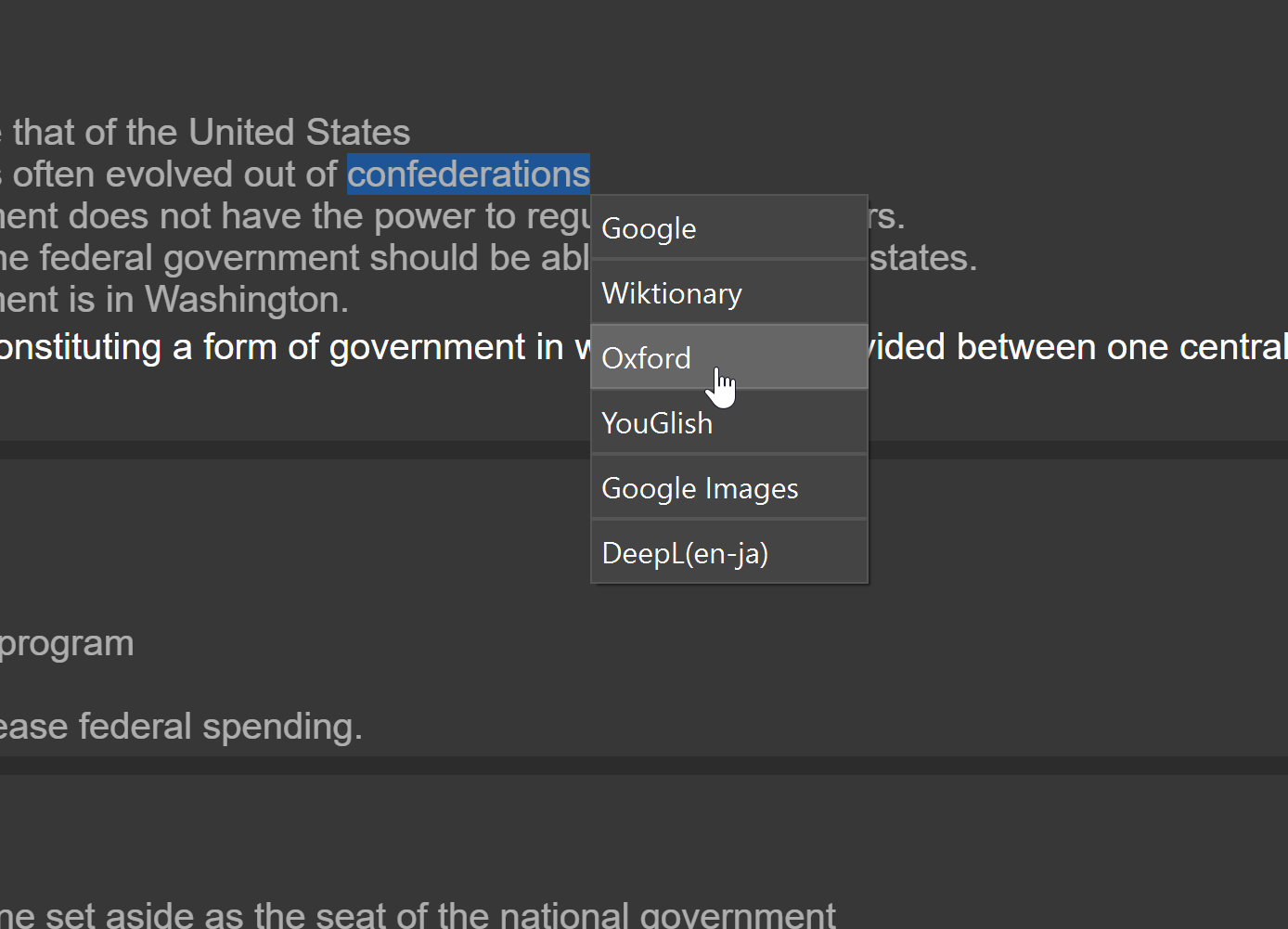
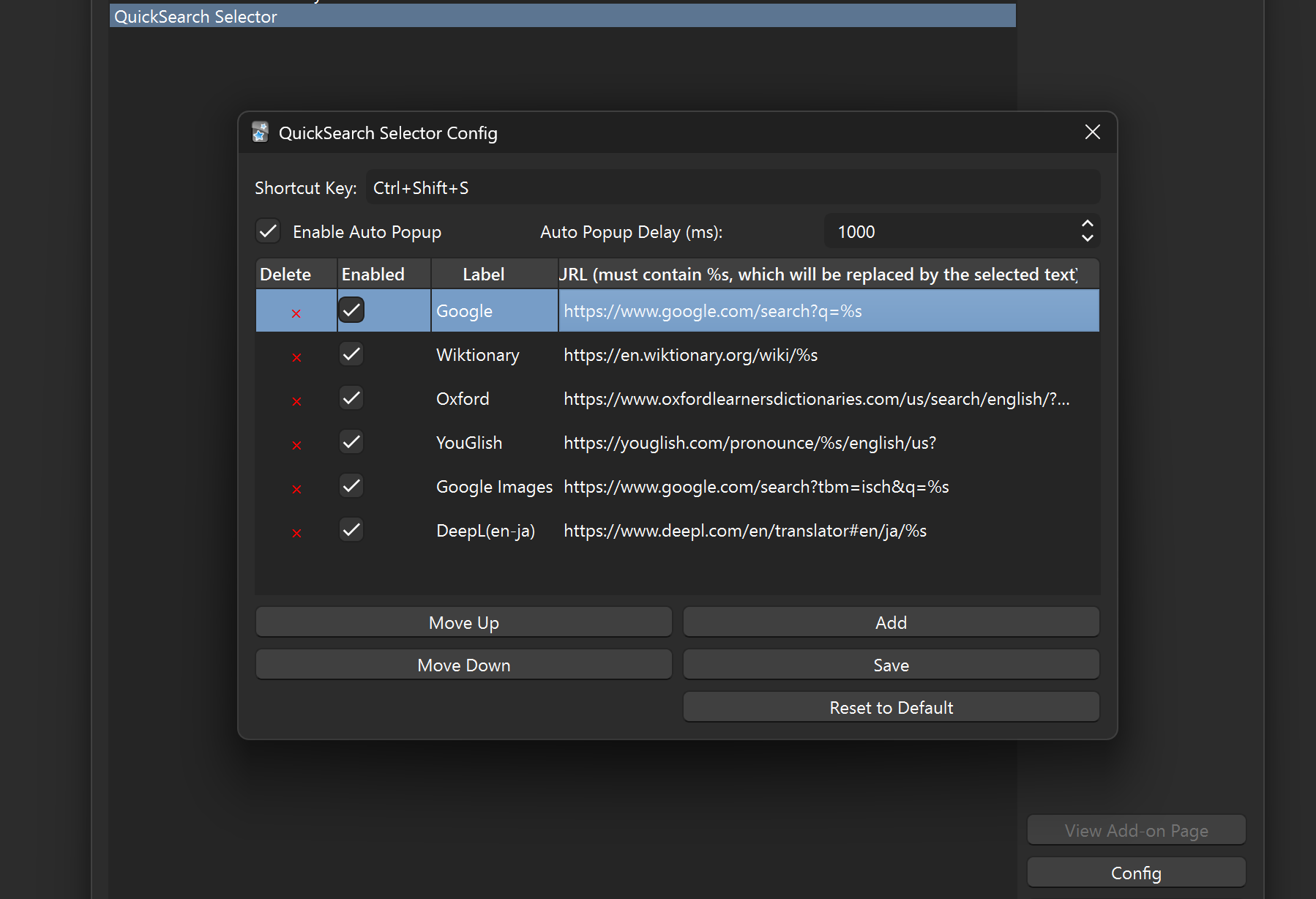
Features Search Selected Text with Your Favorite Tools: Select any text in Anki and search it using your preferred online tools (e.g., Google, Wiktionary, Oxford Learner’s Dictionaries, YouGlish, etc.). Customizable Search Tools: Add, remove, or modify search tools in the config. Shortcut Key: Trigger the popup with a customizable shortcut key. Auto-Popup: Automatically show the popup when text is selected (configurable delay). Screenshots QuickSearch Selector in Action QuickSearch Selector Config Usage
Shortcut Key:
Select text in Anki. Use the configured shortcut key (Ctrl+Shift+S by default) to open the popup. Click on a search button to open the selected text in the corresponding tool.
Auto-Popup:
Select text in Anki. After a configurable delay (default: 1000ms), the popup will automatically appear. Click on a search button to open the selected text in the corresponding tool. Configuration Go to Tools > Add-ons > QuickSearch Selector > Config to customize settings. Add or remove search tools, change the shortcut key, and configure auto-popup settings. Troubleshooting If the shortcut key doesn’t work, ensure it doesn’t conflict with other shortcuts in Anki. If the auto-popup doesn’t trigger, check the delay setting and ensure it’s enabled. Releases The latest version of this add-on can be downloaded from the releases page. Each release includes a .ankiaddon file for easy installation.
Screenshots
Liên kết hỗ trợ
Reviews (2)
👍 2025-10-11
nice addon
👍 2025-02-21
Such an awesome tool for language learners! I hope that more dictionaries like Cambridge, Longman, Collins, etc will be added in the near future. Thank you a lot!
