Add-on for the Anki program. Create cards that hide part of the image and prompt the user to enter text for verification (if the sign is ?, otherwise the usual hiding).
This is not the “Image Occlusion Enhanced” add-on! See it here ankiweb.net/shared/info/1374772155
This add-on is simpler in some ways, and not quite so in others. In any case, I needed the ability to enter text on the hiding rectangles themselves, to check such text.
When installing my add-on, the “Image Occlusion Simple (v1.1)” note type is created. Perhaps in other versions, a note type with a different number in brackets will be added.
Those who have previously installed the add-on may have version 1.0. The only difference with version 1.1 is in the card face template code, where the function of voicing the entered word by the voice engine is added when it is clicked (clicking again will allow you to enter the editing mode). If your voice language is not English, then find the line ‘var langSS = “en-US”;’ in the card face template and replace it with your language. If you need to have different languages for different cards, then create a separate field, say with the name “LngTag” and then write in the line: ‘var langSS = “{{LngTag}}”;’
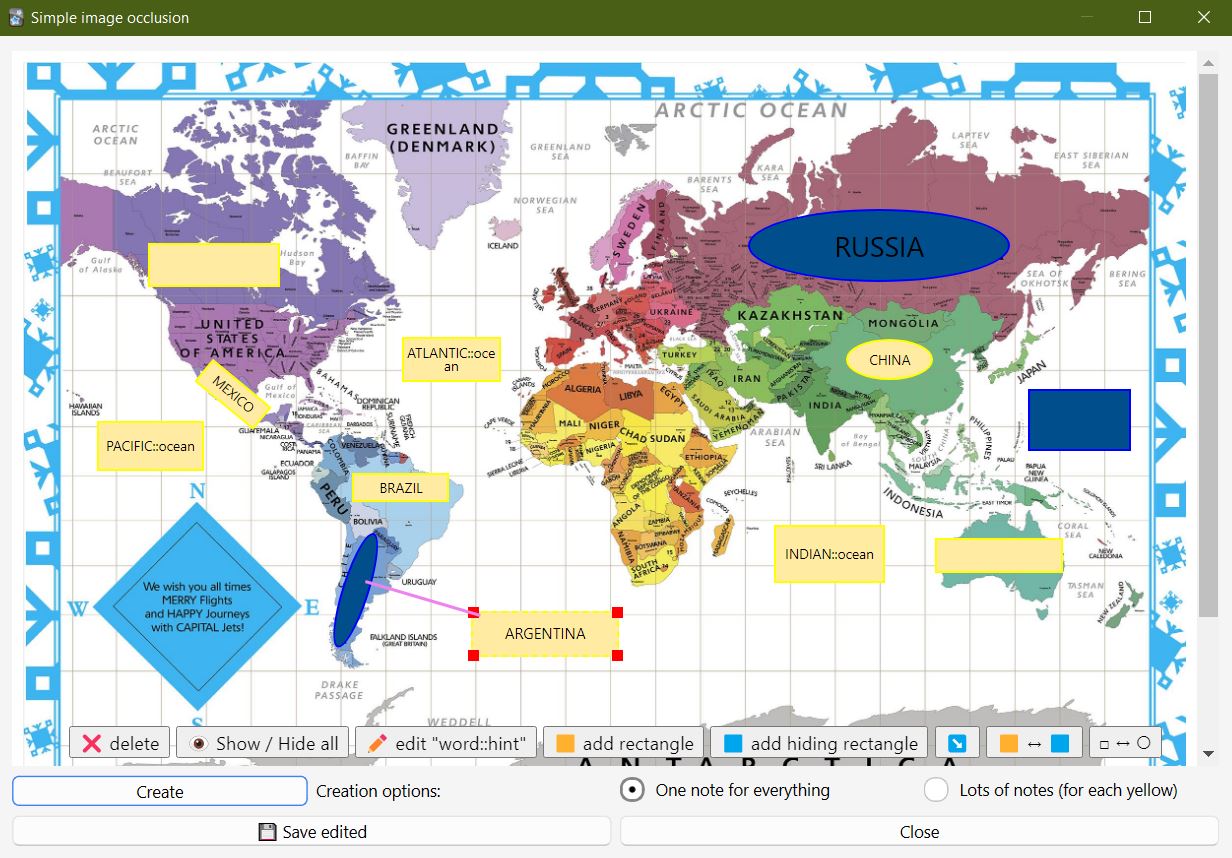
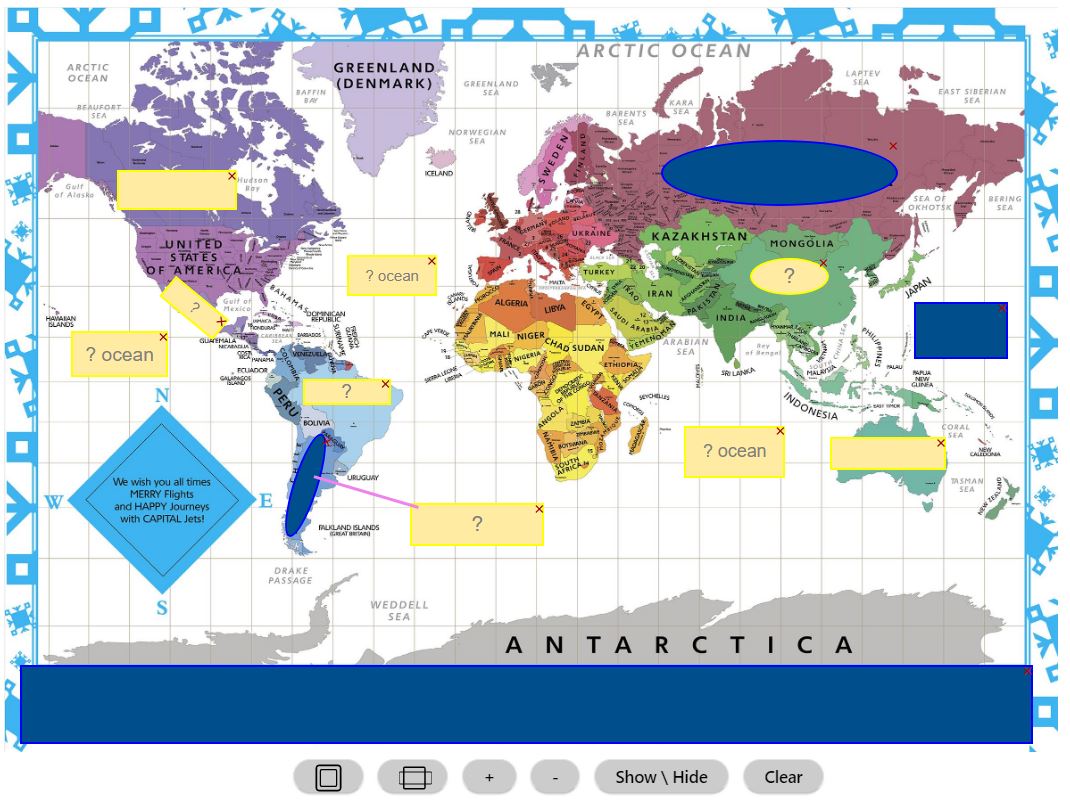
There is a special button to call the editor of closing rectangles on the background of the image (the cursor must be on the field with the image). The editor allows you to create regular rectangles to test your knowledge (yellow) and additional hiding ones (blue). It is possible to add a line to indicate a point on the picture. For complex cases, the rectangle can be rotated (right mouse button), converted into a circle (oval). The rectangle can have text (test word) and a hint for the word. Even if there is no hint, the user will still be shown the ”?” so that he knows that this is an input field.
See the hot keys in the tooltips for buttons, for which move the cursor and hold it. The editor itself is made as a separate file “EditRectangle.html” in the add-on folder and you can easily open it with a browser and check how it works, look at the source code (in the file “EditRectangle.js”)
After entering all the rectangles, you can click the save button and then the close button.
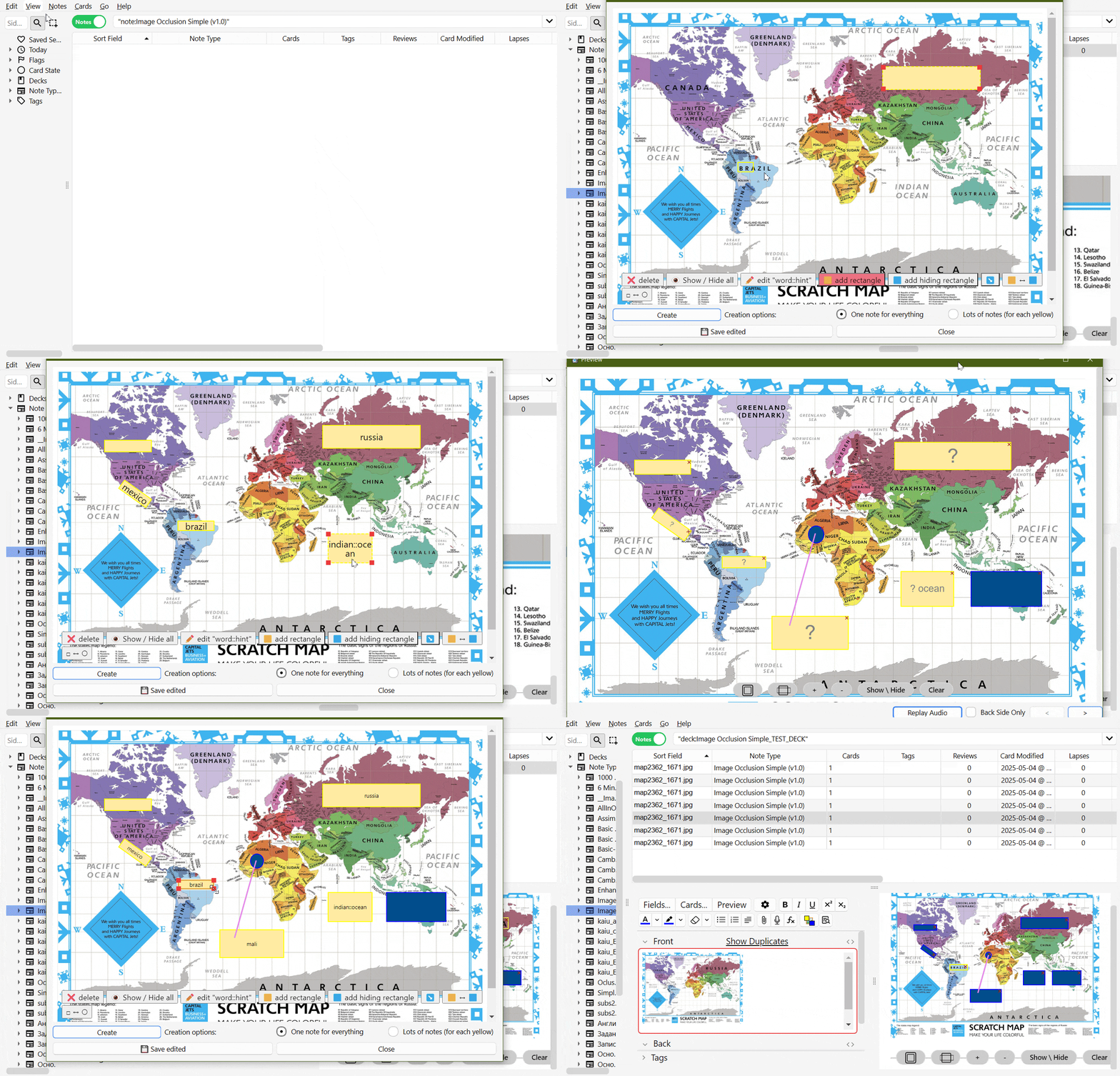
You can always create another copy of the entry for this record or create a separate entry for each yellow rectangle. Then in such entries you can easily convert rectangles to the type you need.
When viewing a card, you can change the scale (not ideal, especially for Android). Entering and checking words is simplified, that is, checking is done without taking into account the case of characters and many other signs (Android especially likes to make the first letter capital). If the word is written correctly, such a field will turn green. When entering, you can press the tab key to move to another field for the next input (you can also press the “Enter” key to make it easier for Android). To simplify orientation, scroll to the next field and the field will blink red several times.
For ease of viewing of records, it is recommended to use the “Editor Live Preview” add-on ankiweb.net/shared/info/1960039667
The minimum possible code is added to the image field itself, and the main functionality can be changed in map templates and styles for the “Image Occlusion Simple (v1.1)” record type
Version 1.1.2 from December 27, 2025. The note type hasn’t changed; it remains “Image Occlusion Simple (v1.1)” and working with your decks remains the same.
Since activating the add-on via the “Add New Note” button could cause an error if users immediately wanted to create an occlusion, we had to modify the algorithm. Initially, we assumed we already had notes with images and were using them to create occlusions. But since many people find it more convenient to immediately add a new note using the “Add” button, insert an image, and apply occlusion, I’ve changed the algorithm: you click the “Add” button, select the “Image Occlusion Simple (v1.1)” note type, choose a deck, insert an image, and if you later want to create new notes of the “Image Occlusion Simple (v1.1)” type, since one note has already been added, it won’t be counted when creating new notes, and you must click the “Add” (save) button yourself. Then, check how many notes you’ve created and what’s in them. If you select a note type other than “Image Occlusion Simple (v1.1)” after clicking the “Add” button, the full number of “Image Occlusion Simple (v1.1)” notes will be created when you create new notes using this add-on, as this wasn’t the case previously.
I haven’t changed the algorithm for saving edited data. I just added a “Save and Close” field to prevent double-clicking.
When creating rectangles in the addon, people wouldn’t always release the mouse button on the image itself, which could cause an error. To eliminate this error, the created rectangles are now a different color and have a dotted line. A gray border has been added to the image to prevent confusion. A little white space has been added to the bottom of the image, as there were issues accessing the bottom of the image when the buttons were stacked in two rows.
HELP AND SUPPORT
Please do not use reviews for bug reports or support requests. And be sure to like, as your support is always needed. Thank you. I don’t get notified of your reviews, and properly troubleshooting an issue through them is nearly impossible. Instead, please either use the issue tracker (preferred), add-on support forums, or just message me at andreykaiu@gmail.com. Constructive feedback and suggestions are always welcome!
VERSIONS
1.1.2, date: 2025-10-12. The note type version hasn’t changed. Added a “Save and Close” button. Renamed the Create button to “Create New.” Notes of the “Image Occlusion Simple (v1.1)” type are now always created. Fixed a bug with adding a new note and immediately creating it using the addon. Some design changes have been made to rectangles that have not yet been created but are indicated by a border. 1.1.1, date: 2025-10-12. Fixed a button display issue when viewing on ankiweb.net. The note type version hasn’t changed, but you’ll need to agree to change the template code (save your design first if you changed the default for “Image Occlusion Simple (v1.1)”). 1.1, date: 2025-09-02. The only difference with version 1.0 is in the card face template code, where the function of voicing the entered word by the voice engine when it is clicked is added (clicking again will allow you to enter the editing mode). Thanks to all those 500 who downloaded it. This version was made especially for this event. If you have any problems or suggestions, write to the forum, maybe I’ll implement it if I have some free time. 1.0.1, date: 2025-06-05. The note_type folder has been added. What does this mean? That no one has checked it before, but I had this type of record and the error was not detected :( 1.0, date: 2025-05-04. First release
SPECIAL THANKS
Thanks for helping with the development: chatgpt, GitHub.copilot - they helped more than hindered :), since I still had to delve into it myself and completely rework the code. But without them, I definitely would not have managed it, since I do not program in Python, and certainly not an Anki developer.
=========================
See my other addons and decks here: https://ankiweb.net/shared/by-author/1188253433
=========================
Screenshots
Liên kết hỗ trợ
Reviews (4)
👍 2025-09-28
This worked well for me as a beginner here thanks to the brief tutorial. The Function shortcuts in editing has been helpful for me, Thank you again (❁´◡`❁) Comment from author I’m glad. And I apologize for not providing simple instructions with a working example in the other add-ons. It’s a bit tedious and not as interesting as programming.
👍 2025-09-11
Really appreciate the work, it works flawlessly. Thanks. Comment from author Thank you for your feedback, every feedback is important to me, especially when there are so few of them. There is always something to improve and I never get it perfect :) , which is also evident from my other additions.
👍 2025-09-05
thanks so much. i hope you have a nice day Comment from author Thank you for your good wishes.
👍 2025-06-07
so well, it is usefull Comment from author Thank you for downloading and rating.
