Get started with your Scope Remote in Anki
To get your Scope Remote, visit our website.
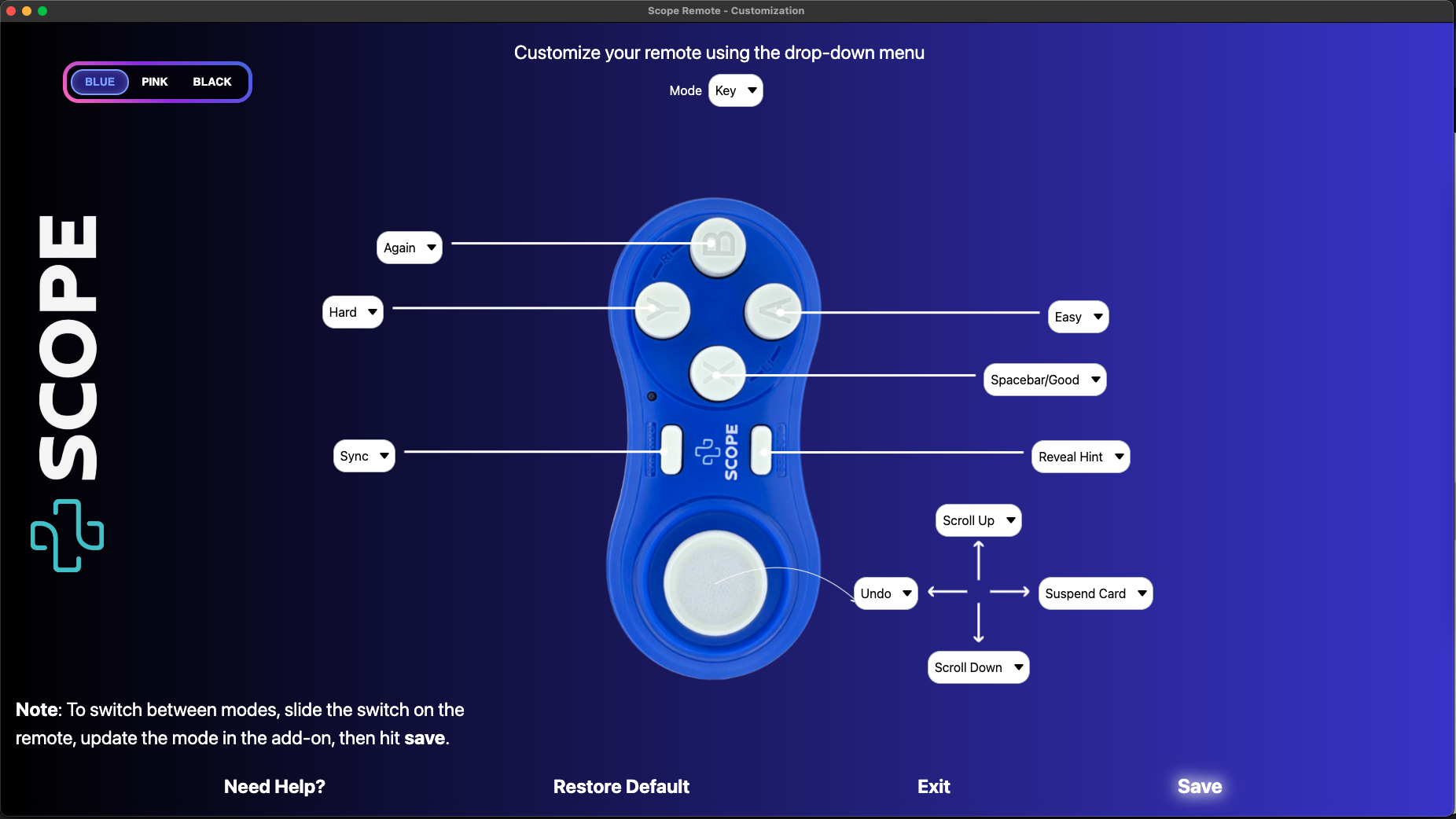
How to set it up Download the Scope Remote add-on on your Anki (follow the instructions below the ‘Download’ title) Open Anki and click on the Scope Remote option in the top menu. Choose ‘Customize Scope Remote’ from the drop-down menu Look at the side of your Scope Remote to see if it’s set to Key mode or Game mode. Select the matching mode at the top of the setup page. Use the dropdown menus to assign the actions you want to each button. Click the blue Save button and you’re all set. You won’t need to restart Anki. Personalize your buttons
You can fully customize your Scope Remote by choosing what each button does. Try different combinations and set it up the way that works best for you.
Want to suggest a new feature? 💡
If there’s a specific function you’d like to see added, we’d love to hear from you. You can email us at support@scopeshop.ae or use the Contact Us form on our website. We’ll do our best to include your suggestions in future updates.
Need help? 🛠️
If you run into any issues or need help setting things up, feel free to contact us. Just send an email to support@scopeshop.ae or reach out through our Contact Us form. We appreciate all feedback and hearing something positive from you really makes our day.
Credits 📜
Copyright © Scope Remote 2025
Learn more
For setup guides, FAQs, and more information, visit scope-remote.com.
If you liked it 🙏
If you’ve found the Customize Scope Remote add-on helpful, we’d really appreciate it if you gave it a thumbs up and shared it with friends. It helps us reach more Anki users who might benefit from it.
Screenshots