A lightweight tool to mask parts of images directly in the Editor. Works on Mobile & Web!
Simple Mask solves the problem of “clutter” when creating image occlusions. Instead of generating dozens of new notes for a single image, it lets you draw masks directly onto your existing pictures.
It is non-destructive: it never modifies your original image file. Instead, it saves the masks as lightweight code hidden behind the image.
Key Features 📱 Works Everywhere: Because Simple Mask uses standard code, your masks work perfectly on AnkiDroid, AnkiMobile (iOS), and AnkiWeb. 👆 Hide All, Reveal One: Tap a specific mask to peek behind it. 🔓 Instant Reveal: Simply press the standard Show Answer button to make all masks disappear at once. 🎨 Flexible Shapes: Draw Rectangles, Circles, Triangles, and Hexagons in multiple colors. See it in Action
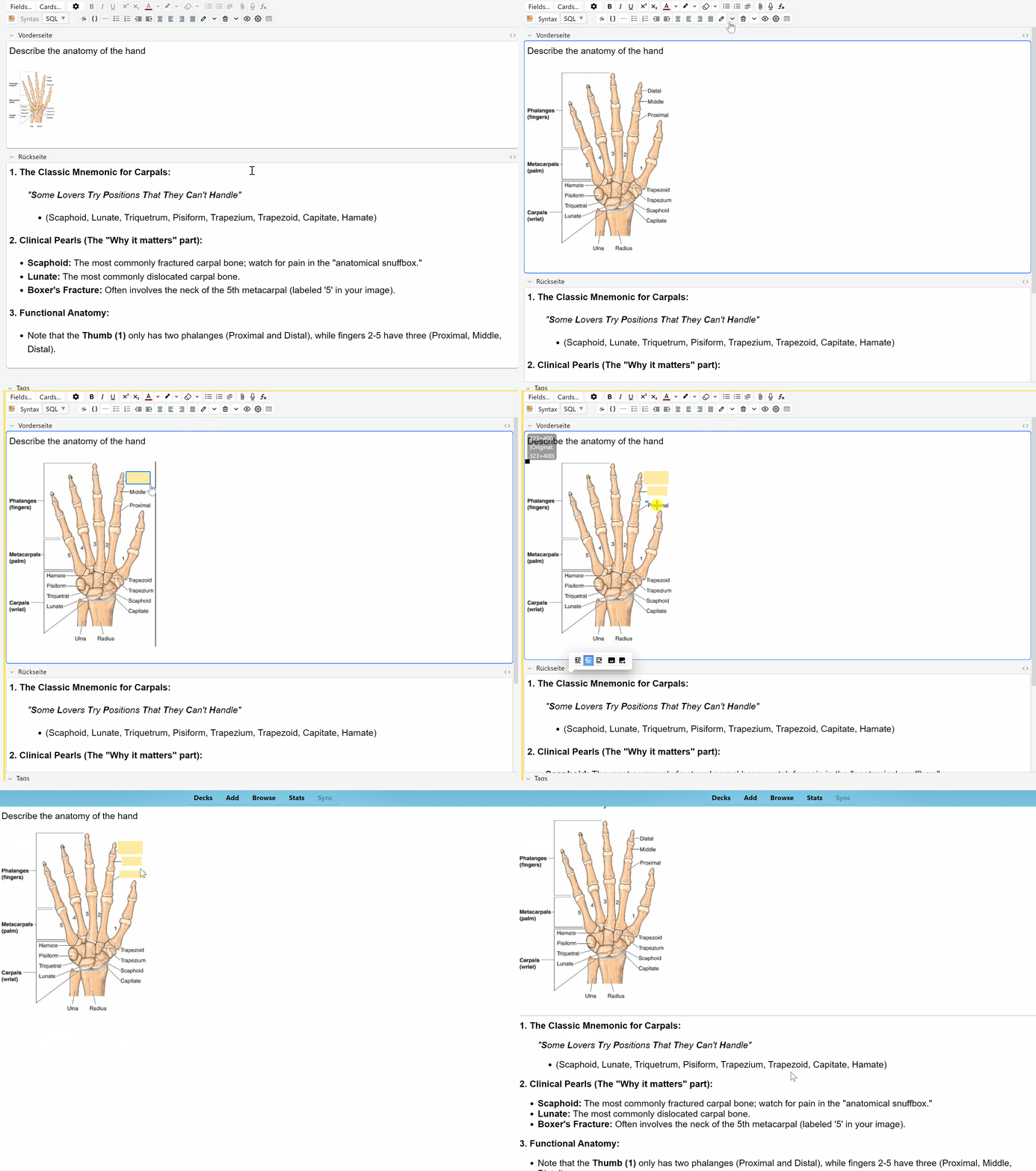
- Adding a Mask
Quickly cover complex anatomy like the bones of the hand using custom shapes.
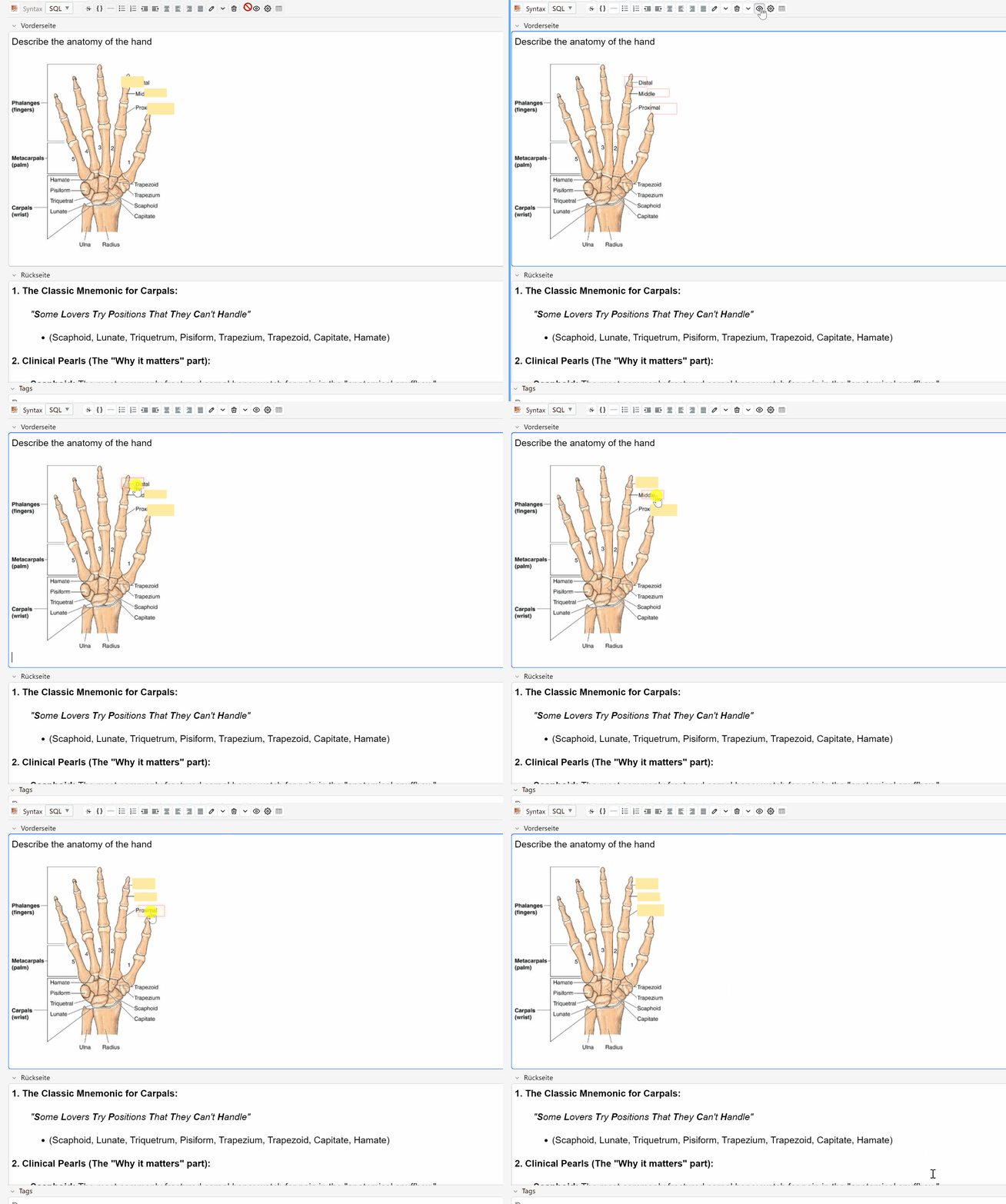
- Moving a Mask
Easily adjust the position of your masks even after they are placed.
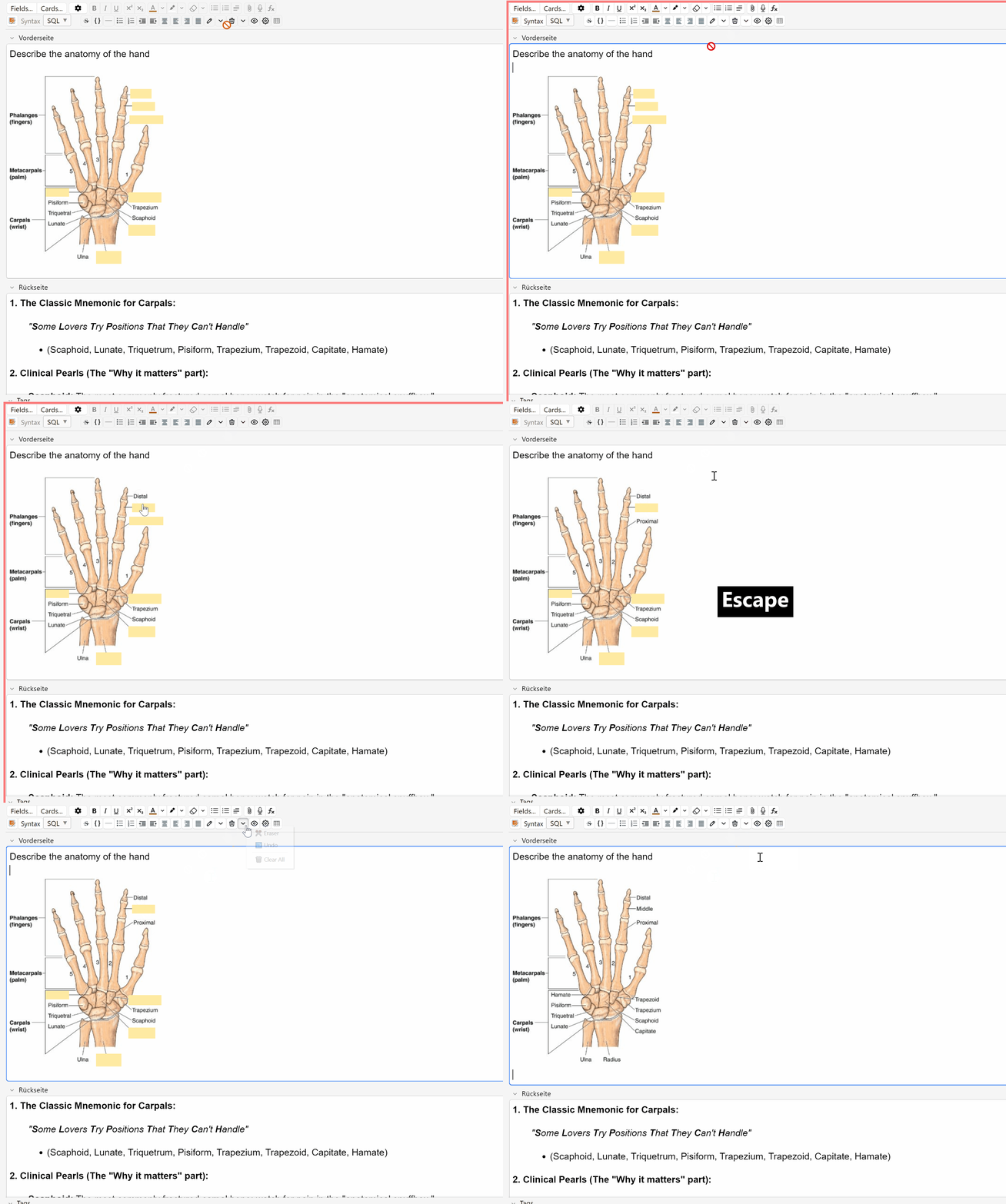
- Deleting a Mask
One-click removal using the Eraser tool to keep your diagrams clean.
How to Use Select an Image: Click on any image in the “Add” or “Edit” window. Draw: Select the Pen tool and drag to cover the text or diagram. Review: On your phone or computer, the answer will be covered. Tap a mask to reveal just that part, or press Show Answer to reveal everything. Tools & Shortcuts 🖊️ Draw Shape (Ctrl+Shift+M) — Activates drawing mode. ✂️ Eraser (Ctrl+Alt+D) — Click on any mask to remove it. 👁️ Preview (Ctrl+Alt+V) — A quick way to check your masks in the editor. ⚙️ Settings — Change mask color and opacity via the menu. 🛠 Support & Feedback
If you have any questions, find a bug, or have an idea for a new feature, please visit the official support thread:
👉 SimpleMask Official Support Page
Your feedback helps make this tool better for everyone!
👋 A Note from the Author
This is my very first add-on! I built it to make creating cards faster and cleaner. If you use and like the tool, please consider leaving a 👍 Thumbs Up. It really helps others find the add-on!
If you find it helpful and want to support future development, consider buying me a coffee:
Screenshots

Liên kết hỗ trợ
Reviews (1)
👍 2026-01-03
Excellent Anki add-on that works perfectly as described. It significantly improved my workflow and saves me a lot of time during daily reviews. Easy to use, reliable, and very well thought out. Highly recommended for anyone looking to optimize their Anki setup.
