Caution: The updated version only works with anki 2.1.50+ Qt6, not with Qt5.
With Stepwise Map Retrieval you can import, synchronize, and review concept maps created in Xmind 8 in Anki.
You can find more detailed instructions here.
I do not get a notification when you write comments on this page and will most likely not see them. Please, use the issue tracker in my GitHub repository instead.
If you’d like to support my work, you can buy me a coffee:
Screenshots
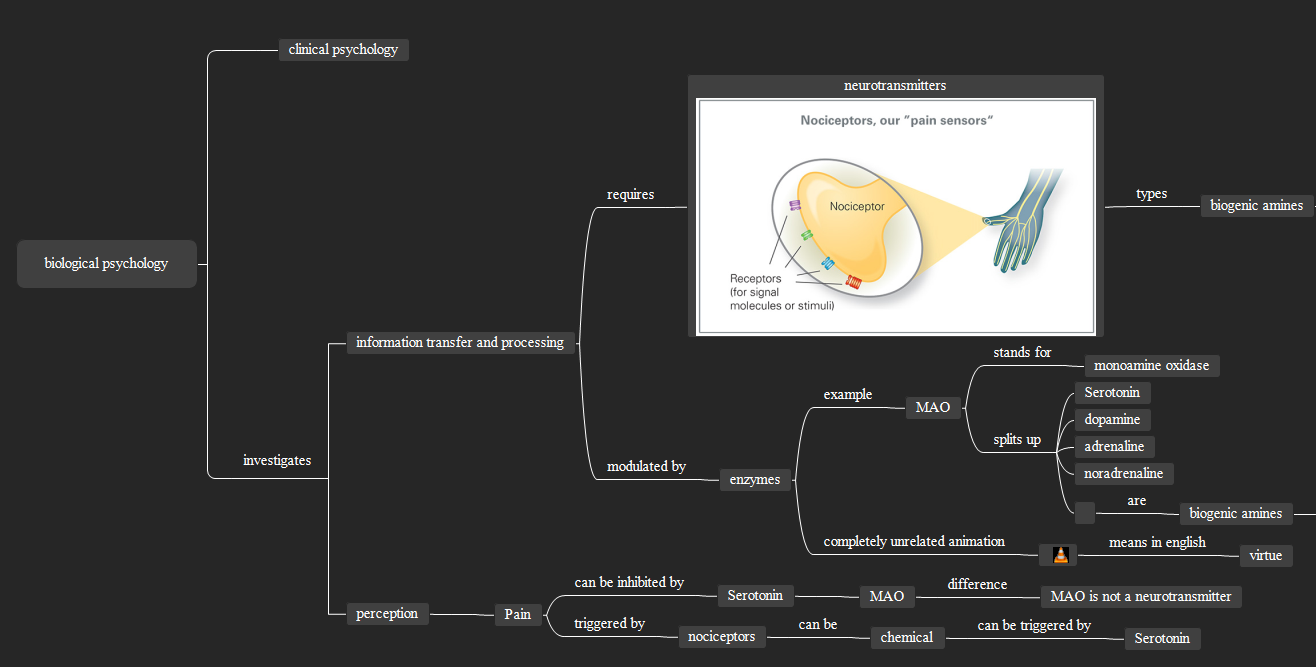
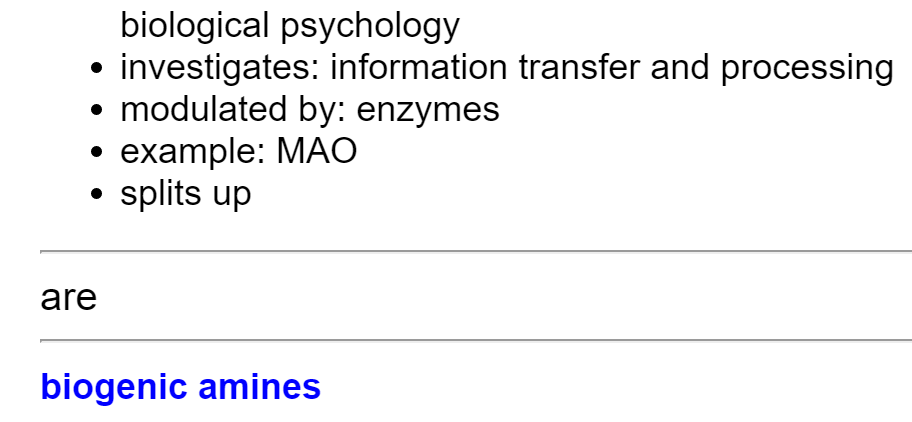

Liên kết hỗ trợ
Reviews (9)
👍 2024-12-20
It is not supporting Anki 24.11 (87ccd24e) (ao) Python 3.9.18 Qt 6.6.2 PyQt 6.6.1 Platform: Windows-10-10.0.19045
When loading Stepwise Map Retrieval: Traceback (most recent call last): File “aqt.addons”, line 250, in loadAddons File “C:\Users\USER\AppData\Roaming\Anki2\addons21\61346236_init_.py”, line 4, in <module> from .smr import main File “C:\Users\USER\AppData\Roaming\Anki2\addons21\61346236\smr\main.py”, line 7, in <module> from . import monkeypatches File “C:\Users
👍 2022-05-09
Thank you for this ! Very helpful . Also, it will be great if Stepwise support Xmind 2022 wich is in my opinion way better than xmind 8 . Again thank you for sharing this . Hope it will support Xmind 2022 soon. Comment from author Glad you like it! Thanks for opening the issues in GitHub, there I can more easily keep track of them. I’d love to implement support for Xmind 2022, but unfortunately I’m lacking the funding I would need to be able to afford putting more work into this addon. I wrote m
👍 2022-01-14
I don’t know who you are, but I LOVE YOU. Literally you saved my LIFE. Thank you soooo much and GOD BLESS YOU XOXO Comment from author I don’t know who you are either, but I’m happy you liked my work :)
👍 2021-04-30
Could you please update the addon? Thank you! Comment from author I just uploaded an upload. The addon now works with anki 2.1.50+ (Qt6 version only)
👍 2020-03-31
I haven’t tried it but the concept seems awesome. Can you make a short demo video about it? Comment from author Sorry for the late answer, I don’t get a notification when you comment here. If there is more interest, I might make one. I opened an issue to track interest in this. Feel free to upvote: https://github.com/Humorloos/SMR/issues/32
👍 2020-02-07
Been looking for an addon like this for ages. Comment from author I’m glad to hear that!
👍 2020-01-26
This seems really awesome! Thanks for making this, it’s really wonderful. Loads of applications buzzing in my head. Question though, does it have to be Xmind8, or can Xmind Zen files be also read in the same way? Does it really matter which? Comment from author I’m not 100% sure about this, but I think importing files from xmind Zen should also work. You would have to try that. However, switching between the two programs causes problems with this Addon because when you open an xmind file created
👍 2019-12-08
I was excited about the news. But I couldn’t make it work. Topics need to be in a certain order and quantity, which is difficult to respect when creating maps. Can you make it recognize Xmind’s tab and hierarchy when copying and pasting in Anki? It always recognizes the tab as multiple spaces. Getting him to recognize the topics and subtopics when copying and pasting would be excellent and appropriate. Comment from author Thank you for your excitement. I would like to make the addon work for you
👍 2019-10-25
Extremely exciting idea. But I’m unable to make it work. Kindly explain the process to make this addon work. Comment from author Thank you, I just added a manual, you can find it here:
