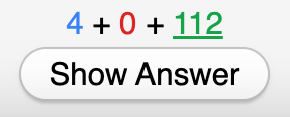
This add-on allows you to toggle visibility of the Remaining Card Count (pictured above) using either a keyboard shortcut or an Anki Menu Bar item.
The default keyboard shortcut is the backtick/grave accent key (`), which is to the left of the number “1” on the US QWERTY keyboard. This shortcut can be configured in the add-on’s config JSON.
Configuration Keyboard Shortcut (shortcut)
To change the keyboard shortcut, open Tools > Add-ons, then select this add-on and click the “Config” button. For example, the following configuration:
{ “shortcut”: “Ctrl+Shift+8” }
will change the keyboard shortcut to Ctrl+Shift+8 (Cmd+Shift+8 on Mac).
GitHub
https://github.com/rajkundu/anki-remaining-card-count
Screenshots
Liên kết hỗ trợ
Reviews (5)
👍 2025-12-25
Simple and better than me covering my screen with a sticky note
👍 2025-12-17
Just what I needed with no fluff
👍 2025-11-05
Just what I wanted
👍 2025-02-15
Works well! Love the fact that we can easily adjust the keyboard shortcut!
👍 2025-01-20
I have been wishing for one of these for ages! Works great if you follow the instructions!
