This add-on allows you to toggle the tags of the current note via reviewer/editor/browser context menu.
“Tags” command is available in:
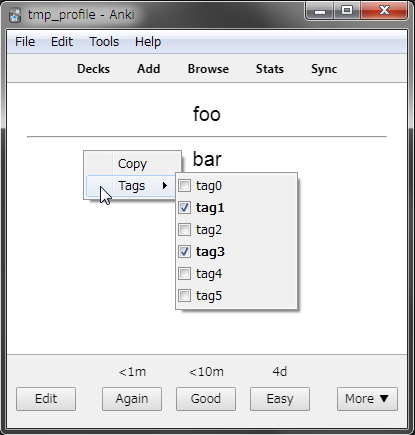
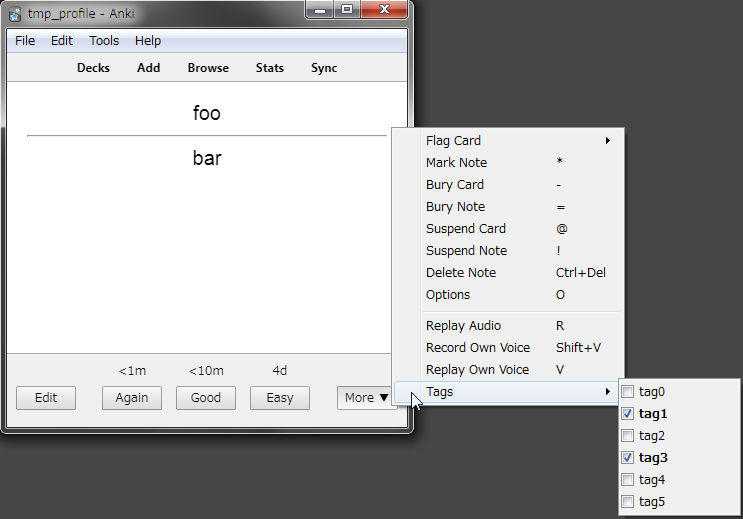
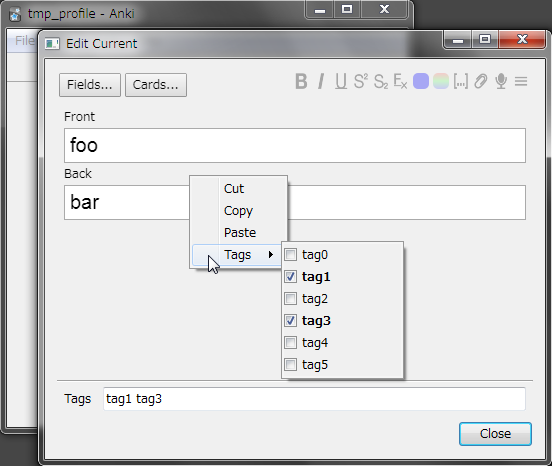
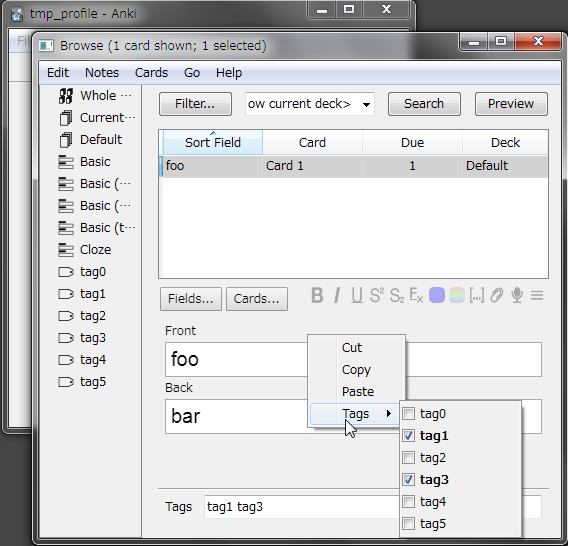
Review screen Popup menu of the “More” button at the bottom of the review screen Middle area of editor except for the area labelled “Tags” Bottom right area of browser except for the area labelled “Tags”
Screenshots
Changelog 2019-01-01:
- Fixed a bug where toggling tags would not work properly for the second time and beyond on add note dialog
2018-11-26:
- Prevent “Tags” menu from closing even when empty space is clicked
2018-11-26:
- Initial release
Screenshots
Reviews (11)
👍 2025-07-16
I fixed this add-on for Anki25+ and uploaded it to AnkiWeb. 🏷️Toggle Tags via Context Menu (Fixed by Shigeඞ) https://ankiweb.net/shared/info/1578892138
👍 2022-10-31
Just what I needed, thank you so much :)
Works great on 2.1.54
👍 2022-10-10
works on 2.1.54 Qt6
👍 2022-05-21
Nice! Easier to use than other tag addons especially when removing tags. Works in 2.1.49
👍 2022-01-26
Super helpful. works in 2.1.40
👍 2022-01-18
Позволяет добавлять тэги по клику мышкой. Избавляя от мучения помнить названия всех тэгов и ввода их вручную.
Allows you to add tags by mouse clicking. Eliminates the hassle of remembering the names of all tags and entering them manually.
👍 2021-09-10
Best add on so far. I had a few thousands cards to put tags on, now I can do it easily while I review them.
Thank you so much!
👍 2019-11-22
The impossibility of make groups or select only serveral tabs to show makes this very poorly usable, because if you have, let’s say, 100 tags, your screen will become unusable.
👍 2019-06-19
Nice idea! how about assignable shortcuts?
That might be neat if you use a couple of tags more often than others e.g. “revise”
👍 2019-01-12
If you have too many tags your into trouble, fills the whole screen. I like the idea but it should be able to just show certain tags.
👍 2018-12-15
If you want to be able to select from existing tags this addon is for you
