Anki Add-on: Transfer Scheduling Data + FSRS
Transfer scheduling data, review history, and FSRS memory state from one card to another in Anki.
This is an enhanced fork of Samuel Allain’s original addon, with added FSRS support.
Source code at github.
Usage
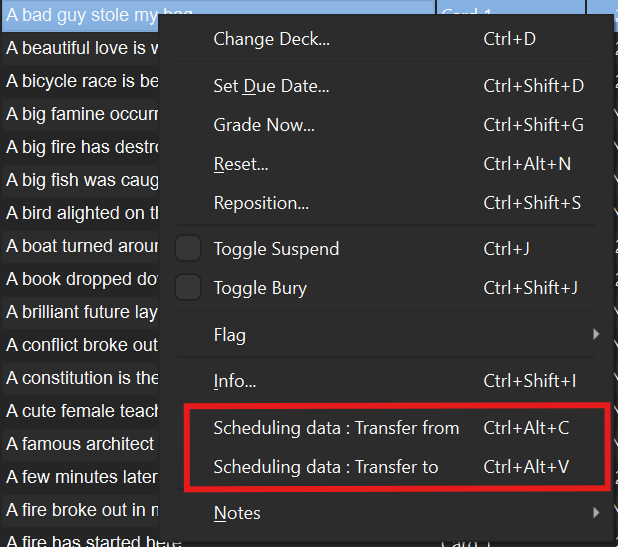
Right-click on a card in the browser to access the transfer options:
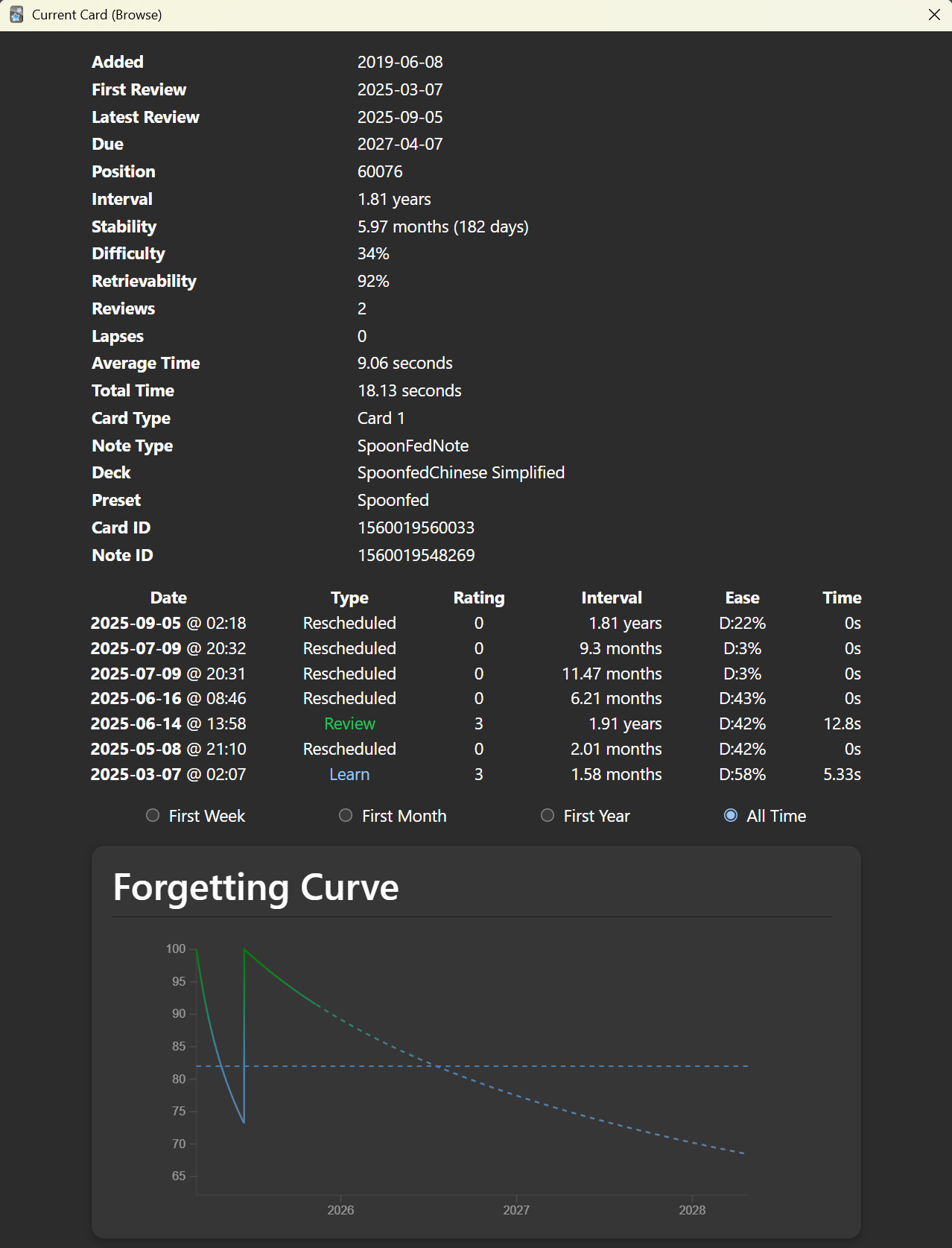
This addon copies all scheduling information from the source card to the destination card. When you open the Card Info window (Ctrl+Shift+I), both cards will display identical data:
Features Core Functionality (Original) Transfer scheduling data between cards (due dates, intervals, ease, etc.) Transfer complete review history (revlog entries) Useful for merging duplicate cards or migrating between note types Keyboard shortcuts: Ctrl+Alt+C (copy) and Ctrl+Alt+V (paste) New in This Version (2025)
✅ FSRS Support - Transfers FSRS memory state:
Stability (expected memory lifetime) Difficulty (0-100% scale) Desired retention Decay factor Last review time
By Jonathan Greve
Screenshots