Waydict is an open-source, free anki add-on that lets you import your favorite dictionary and add its definitions to notes.
Usage
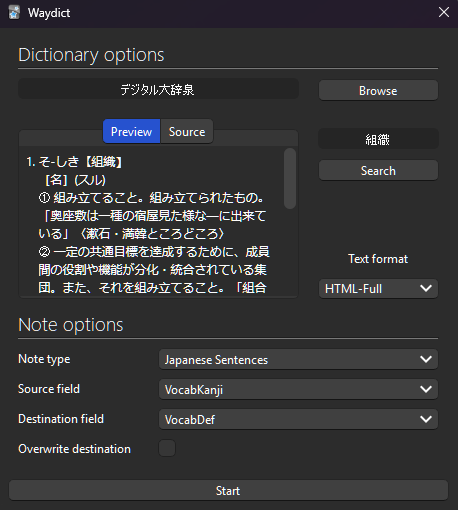
After installation, the add-on can be accessed in multiple ways. Selecting any option will open a dialog to process all notes currently selected. First, you should set a dictionary and a note configuration; after pressing Start, notes will be updated. To access the dialog, choose one of the following options on the browser menu:
定 button inside note editor. Add definition action in edit menu or right-click context menu.
- Select a dictionary
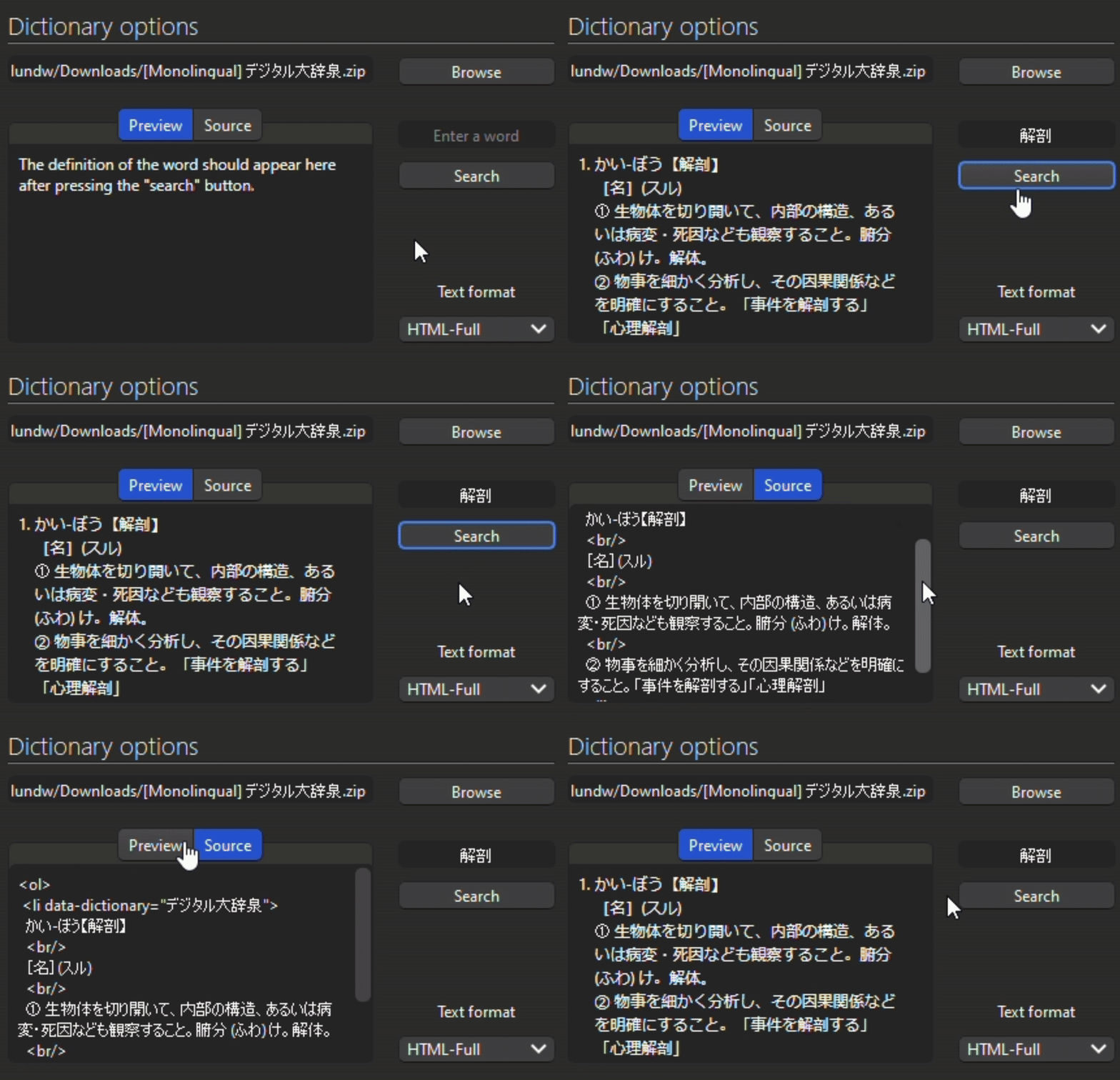
At the top-right of the dialog, there’s a Browse button that will let you select a zip file containing the dictionary entries. To check if a dictionary was properly imported, use the Preview tab to search a word definition.
There are three text formats to choose from:
HTML-Full: keep all HTML. HTML-Brief: keep only list elements, discard styles. Plain-Text: format list elements to plain text.
[!WARNING] Only dictionaries on yomitan format are currently supported. To access a handful of those, please refer to yomitan wiki.
- Set note options
Given a selection of notes, definitions will only be added on those that match the given note configuration:
Note type: target note type. Source field: field with the word to be searched. Destination field: field in which definitions will be added. Overwrite destination: overwrite destination even if it has content. Contributing
Contributions are welcome! Please feel free to:
Report issues. Request a feature. Send pull requests.
Screenshots




Liên kết hỗ trợ
Reviews (1)
👍 2025-11-30
Just want to drop by and say thank you. I can now “backfill” my definition fields as a German language learner.
