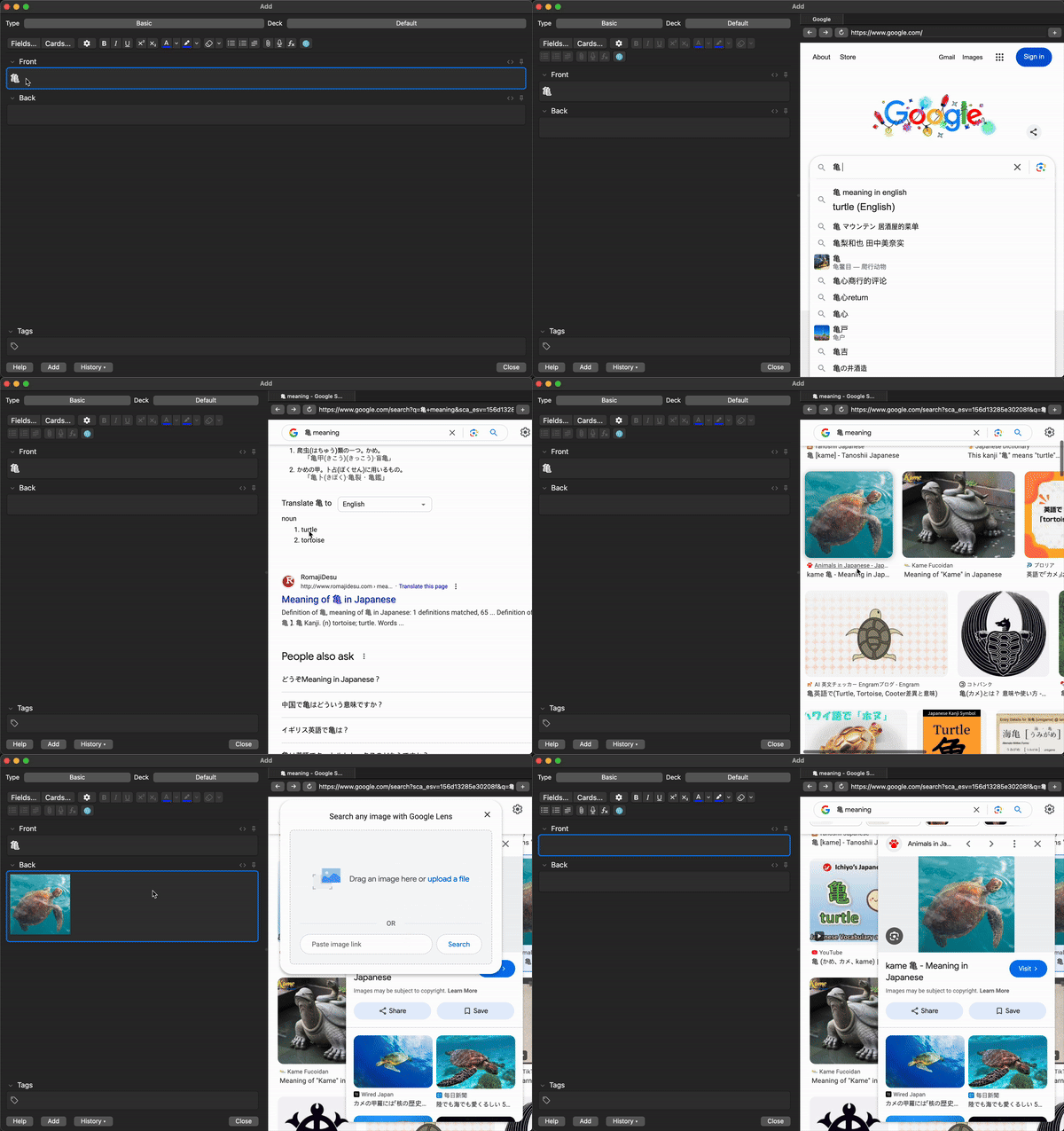
A simple web browser for Anki’s Add Card dialog, allowing you to browse the web while creating or editing cards.
📝 Important Note
This add-on is in beta and may contain bugs. Instead of downvoting, please report bugs via GitHub issues so they can be addressed quickly.
This add-on has been tested on macOS Sequoia, Windows 11, and Ubuntu. If you encounter any issues, please share your feedback here.
Features Integrated Web Browser: Browse websites directly in Anki’s Add Card dialog Search-enabled URL Bar: Quickly navigate to websites or search Google directly Multi-tab Support: Open and manage multiple tabs. Keyboard Shortcuts: Ctrl+Shift+L: Open/close browser Ctrl+T: Open a new tab Ctrl+W: Close current tab Ctrl+L: Focus on the URL bar Ctrl+R: Reload the current page Ctrl+[: Navigate back Ctrl+]: Navigate forward How to use Open the Add Card dialog in Anki Click the 🌐 button or press Ctrl+Shift+L to open the browser Use the URL bar to enter a website or search Google Navigate efficiently with keyboard shortcuts Configuration
Set your preferred start page in Tools > Add Dialog Web Browser
Requirements
Anki 2.1.50 or later (includes Qt 6)
Screenshots
Liên kết hỗ trợ
Reviews (7)
👍 2024-12-14
Very helpful
👍 2024-12-13
Lovely work!
👍 2024-12-13
Thank you so much!!! I waited for this for so long, since 2020 when an older version stopped working. Please don’t stop supporting it.
👍 2024-12-13
good addon but can you plz put a context menu option to search the selected text
👍 2024-12-12
Que maravilla. Gracias por tu trabajo
👍 2024-12-12
keyboard shortcut is easy to open. very good.
👍 2024-12-11
This is sick
