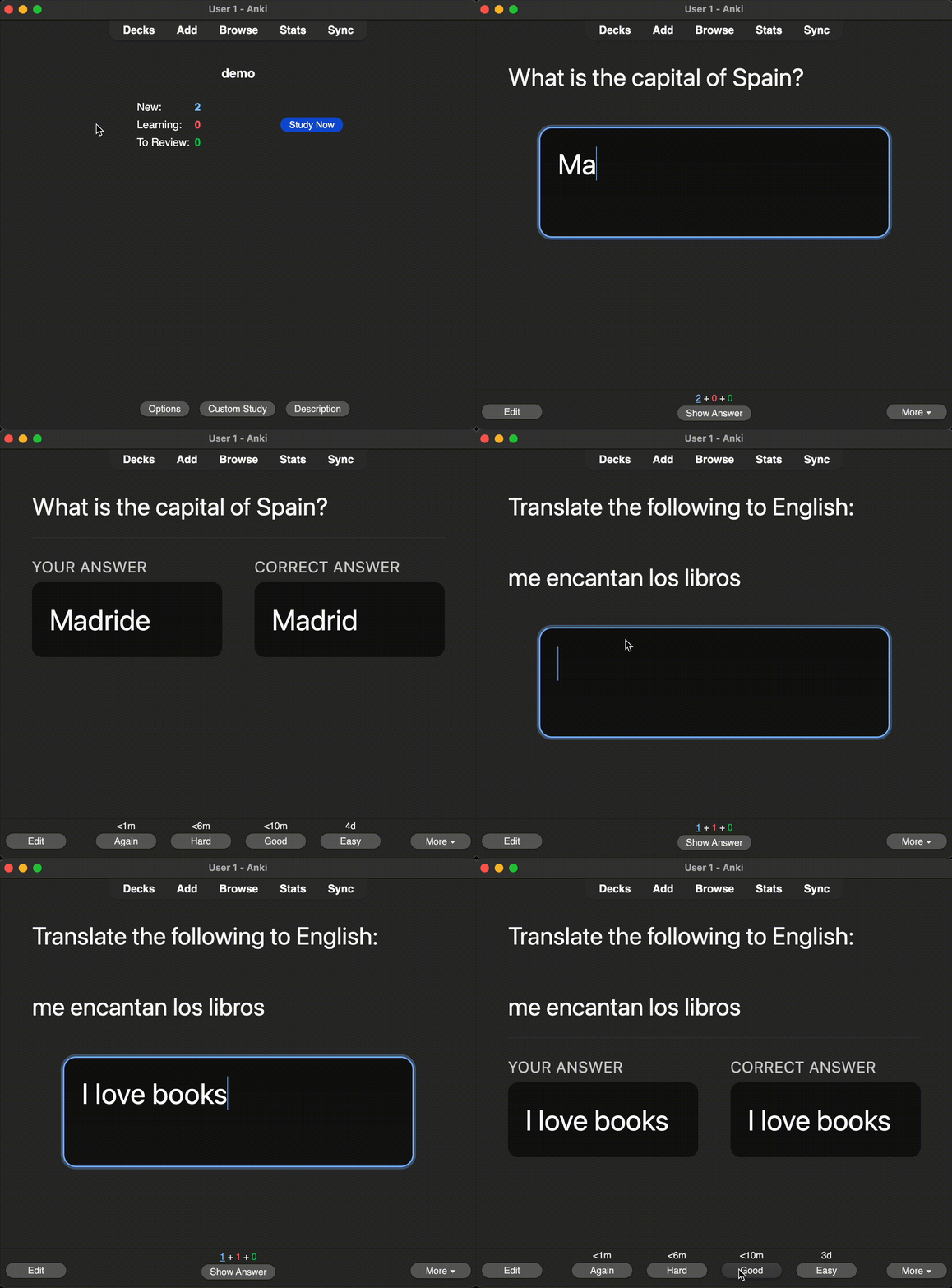
The Write and Compare note type allows you to type your answer in a roomy text-area and then displays it side-by-side with the model solution for instant visual comparison. Instead of passively reviewing a card, this note type forces you to write down your answer for the question the card is posing.
The note type comes in two flavors:
Write and Compare — A one-way card that initially shows you the front of the card followed by a text area. Upon clicking enter, you will be shown the text you’ve typed along with the back of the card. Write and Compare (and reversed card) — Provides the same functionality as the Write and Compare card, but creates another card that allows you to answer based on the back of the card, with the front serving as the answer. Bugs & Issues
Encounter a bug? Please raise an issue in the GitHub repository with your behavior and error message. I will aim to respond as soon as I find the time. Open source contributions are also always welcome.
If you like Write and Compare, please give it a thumbs up and share it with your friends, so that more people can enjoy it!
Screenshots


Liên kết hỗ trợ
Reviews (1)
👍 2025-11-25
exactly what i was looking for. Im gonna save so much paper
