Support If there are any problems or features that you want to see added, don’t hesitate to contact me: dayjaby@gmail.com https://www.reddit.com/user/Dayjaby/
DO NOT USE THE REVIEW SYSTEM TO REPORT BUGS!!! I have no way to contact you and will not work on any bugs if you don’t contact me properly. You can file an issue here: github.com/dayjaby/yomisama/issues
UPDATE - 02 July 2024
Anki 24.06.3 support — only Anki Qt5 supported!! scheduler overhauled: correct cards have their interval updated: interval := 1 + previous interval * 2
UPDATE - 10 April 2020
Fixed two bugs.
UPDATE - 30 March 2020
Japanese and Chinese tested with Anki 2.1.15. The main plugin already contains dictionary files for Japanese and Chinese. Many things untested yet, so bug reports are very welcome.
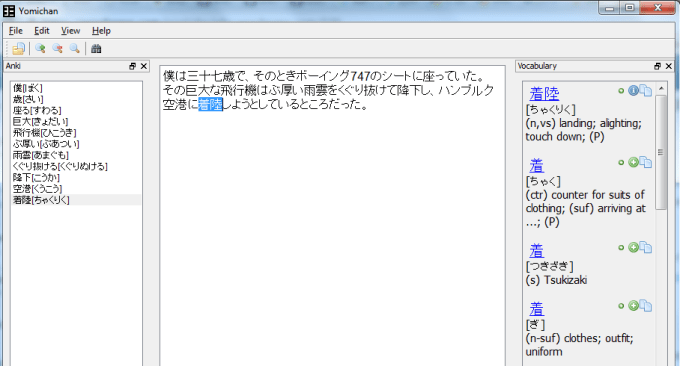
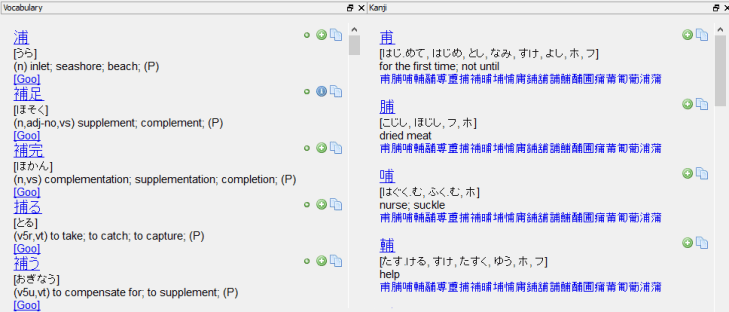
This plugin is guaranteed to boost your reading speed, your vocabulary and, if you want, your listening comprehension! I want to credit Alex Yatskov at this point, the original developer of this plugin. You can find his website and what he has to write about Yomichan on http://foosoft.net/projects/yomichan/. Here I will explain the most basic functions of Yomichan, which are looking up definitions and creating Anki cards.
Installing Yomichan
First of all, download Anki from http://ankisrs.net/ After you have installed and opened it, click in the program on Tools -> Add-Ons -> Browse&Install Enter the number 907186589 there. That’s the ID of this neat plugin Restart Anki
Tutorials
Set up and create cards
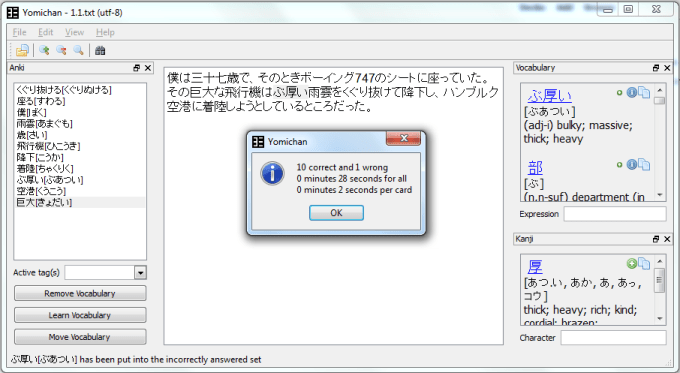
Spaced Repetition Reading.
Replace the dull “review hundreds of boring flashcards everyday” with a more engaging “read texts and let it answer your flashcards as good/bad depending on whether you had to look up their words’ definitions or not”.
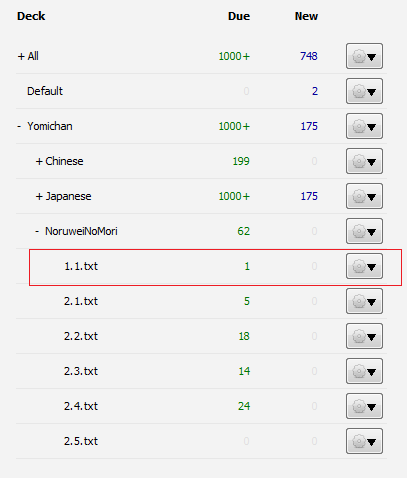
Create Anki decks that represent texts that you can read.
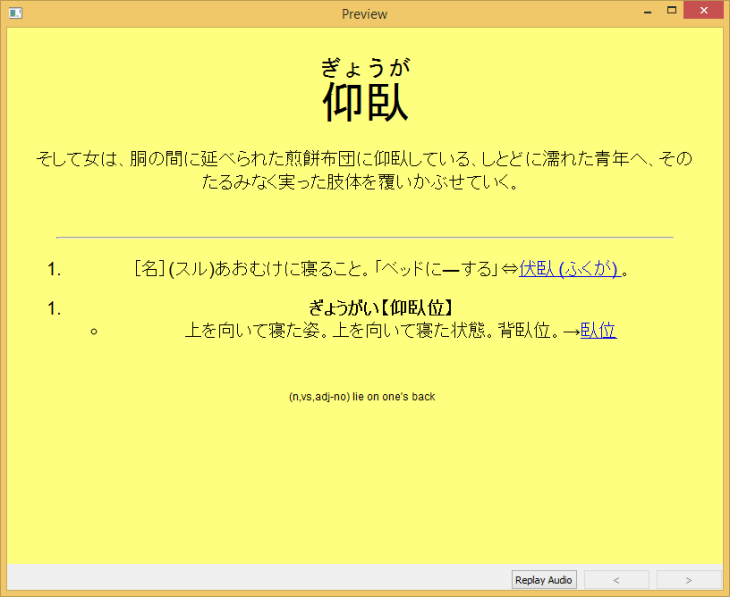
Monolingual cards
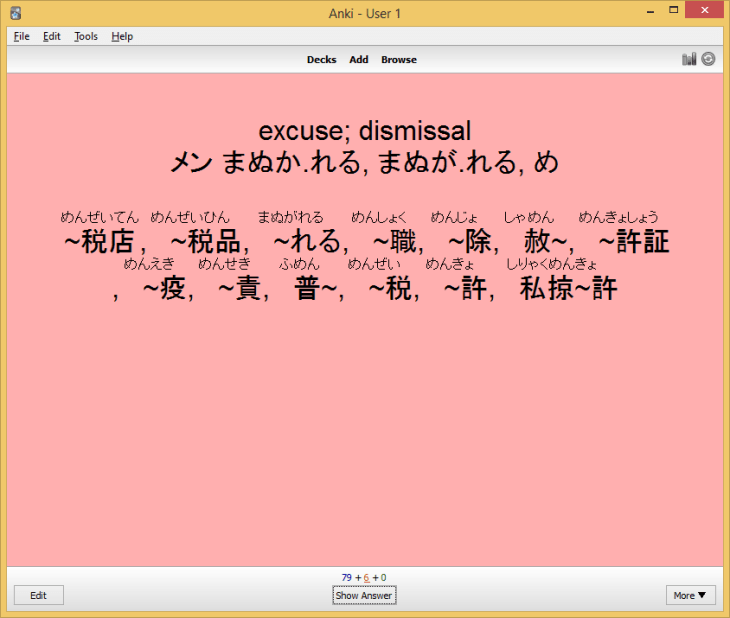
Advanced kanji functions, like looking up similar kanjis
or creating nice looking kanji cards.
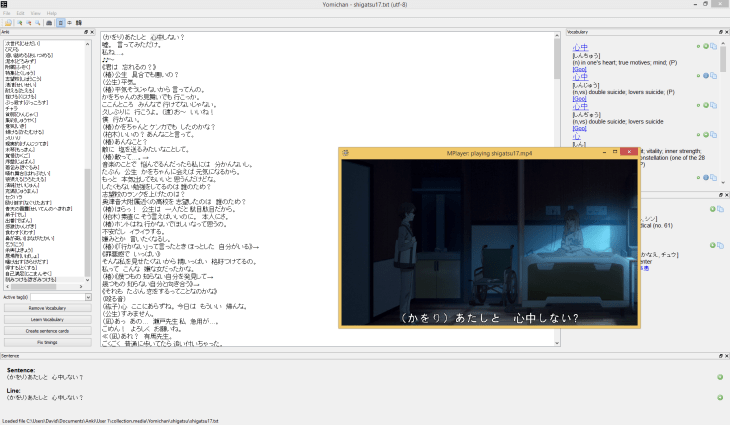
Create video and audio cards
Screenshots
Liên kết hỗ trợ
Reviews (9)
👍 2020-03-31
Error
An error occurred. Please start Anki while holding down the shift key, which will temporarily disable the add-ons you have installed.
If the issue only occurs when add-ons are enabled, please use the Tools > Add-ons menu item to disable some add-ons and restart Anki, repeating until you discover the add-on that is causing the problem.
When you’ve discovered the add-on that is causing the problem, please report the issue on the add-on support site.
Debug info:
Anki 2.1.22 (0ecc189a)
👍 2018-11-17
please help!
An error occurred. It may have been caused by a harmless bug,
or your deck may have a problem.
To confirm it’s not a problem with your deck, please run Tools > Check Database.
If that doesn’t fix the problem, please copy the following
into a bug report:
Traceback (most recent call last):
File “aqt\errors.py”, line 101, in onTimeout
UnicodeDecodeError: ‘ascii’ codec can’t decode byte 0xc1 in position 52: ordinal not in range(128)
👍 2018-09-10
guys,I need help an Error has occured.this is what it shows when i try to open Yomichan:
Traceback (most recent call last):
File “C:\Users\PC\AppData\Roaming\Anki2\addons\yomi_base\anki_bridge.py”, line 302, in onShowRequest
self.onWindowClose
File “C:\Users\PC\AppData\Roaming\Anki2\addons\yomi_base\reader.py”, line 151, in init
self.profiles = profiles.getAllProfiles(self)
File “C:\Users\PC\AppData\Roaming\Anki2\addons\yomi_base\profiles_init_.py”, line 28, in getA
👍 2017-01-25
Great job! Thanks for keeping this add-on updated.
👍 2016-12-15
Cannot Paste Text Followed the setup instructions, and was unable to paste text into window on OSX Yosemite.
👍 2016-10-13
Please help me !!! An error occurred. It may have been caused by a harmless bug,
or your deck may have a problem.
To confirm it’s not a problem with your deck, please run Tools > Check Database.
If that doesn’t fix the problem, please copy the following
into a bug report:
Traceback (most recent call last):
File “aqt\errors.py”, line 101, in onTimeout
UnicodeDecodeError: ‘ascii’ codec can’t decode byte 0x8b in position 52: ordinal not in range(128)
👍 2016-10-08
Not good for Korean It can’t deal with Korean conjugations. Still usable tho if you are willing to write the dictionary form of the word in brackets or something (only if you know the original word, which is pretty hard sometimes), but it’s not very convenient. Would be better if it had a script like the Toktogi browser extension which can deal with the conjugated forms (I guess with the help of dongsa.net). Or Readlang, I recommend these two browser extensions for Korean learners who would like
👍 2016-08-13
error 一个插件发生了错误。
请把它报告在插件的论坛上:
https://anki.tenderapp.com/discussions/add-ons
Traceback (most recent call last):
File “C:\cygwin\home\dae\win\build\pyi.win32\anki\outPYZ1.pyz/aqt.addons”, line 41, in loadAddons
File “c:\pyi\iu.py”, line 436, in importHook
File “c:\pyi\iu.py”, line 521, in doimport
File “C:\Users\���ߺ�\Documents\Anki\addons\yomichan.py”, line 47, in <module>
from yomi_base.anki_bridge import yomichanInstance
File “c:\pyi\iu.py”, line 436, in importHook
👍 2016-06-10
Getting better and better. :-D Now that I can use it, I’m really happy. I’ve tried Japanese so far and it works as expected (I’ll try the other ones too soon). The only thing is that the plus doesn’t get pushed immediately and you need to scroll on the word again to see which words were added and which were not.
