An addon to export all the addons code from your computer, so that you could save them to a card and sync it to web. When you need them again, you could import them manually without going back to search for each individual addon’s code. Github for the addon: https://github.com/luckas72/Anki_AddonCode_Exporter_Addon
(ToDo: Automatic Syn to Deck, Automatic install Addons from Syn Deck’s code, and Automatic install from the Text Edit) (Reason for not done so yet: Anki’s documentation for developers is quite challenging. Need more time to go over the source code, but since I am busy lately. I would postpone the ToDo. So feel free to go ahead and add the features to it.)
BTW, if your Anki software is going coocoo and you can’t use addons. Then I have a runnable file for Win/Mac/Linux in this repository:
Update: Fixed Python Maximum recursion error.
Screenshots
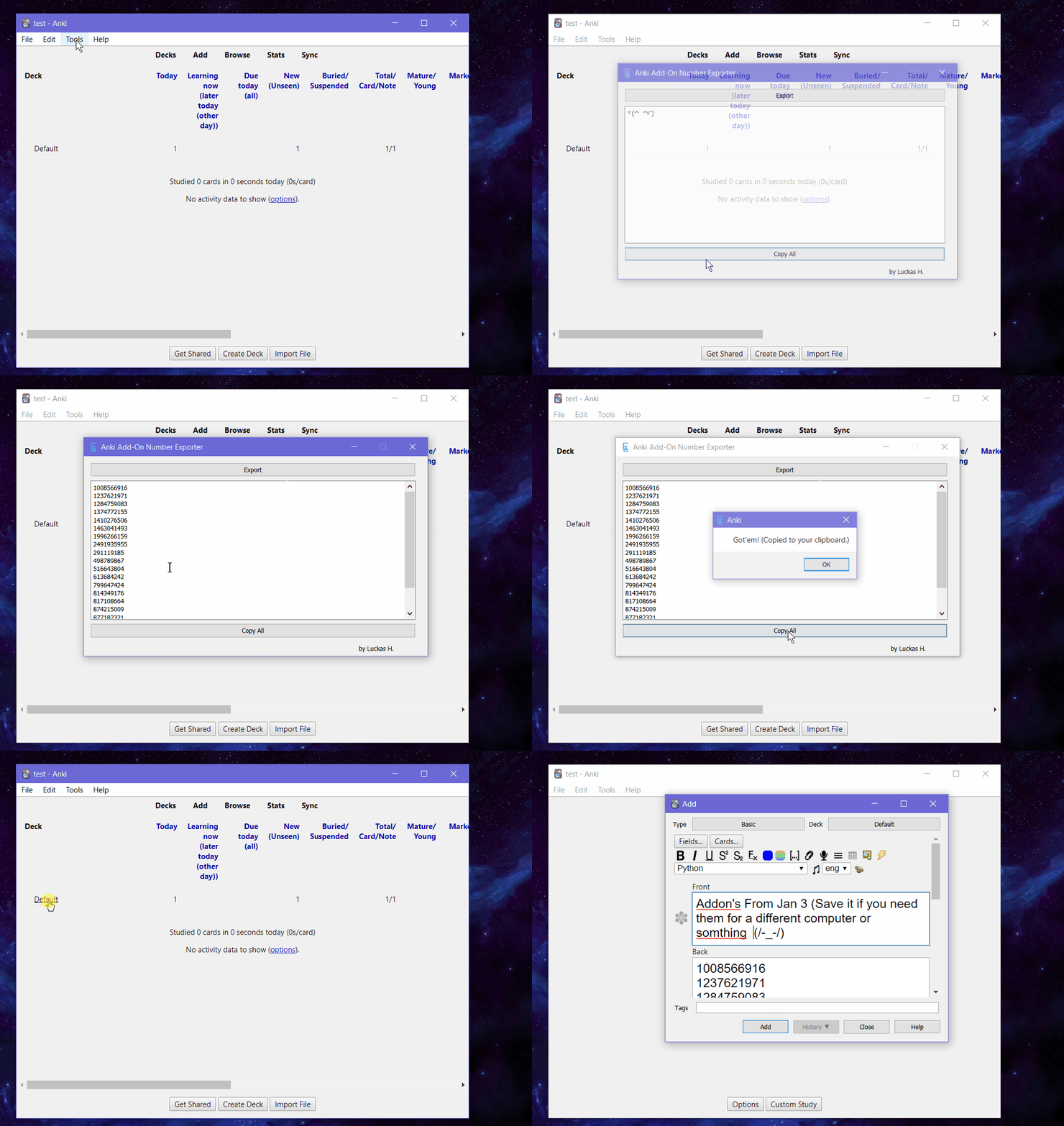
Liên kết hỗ trợ
- Contact Author
- https://github.com/luckas72/Anki_AddonCode_Exporte
- runnable file for Win/Mac/Linux in this repository
- Contact Author
Reviews (1)
👍 2023-01-04
hi, i am on 2.1.54, win10 64bit, PORTABLE version.
error occured, thanks.
Debug info:
Anki 2.1.54 (b6a7760c) Python 3.9.7 Qt 6.3.1 PyQt 6.3.1
Platform: Windows 10
Flags: frz=True ao=True sv=2
Add-ons, last update check: 2023-01-04 16:27:34
Caught exception:
Traceback (most recent call last):
File “C:\Users\abcd\Documents\0-i\a-i\golf\grn-progs-trustable\a-i\alfa\anki\0-cur\ankidata\addons21\1994540215_init_.py”, line 97, in bt_Export_handle
self.addonList=[folder for fol
