About
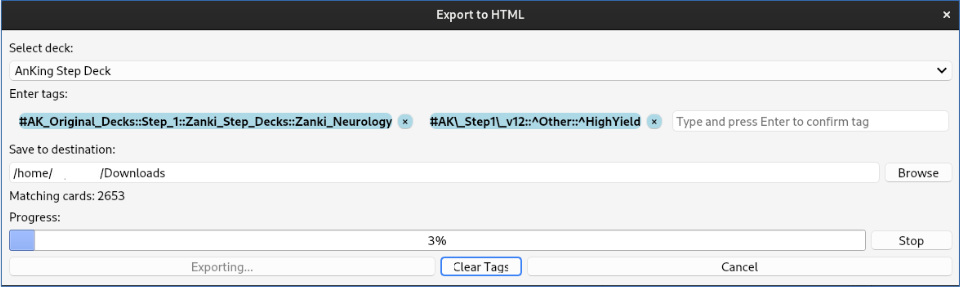
Anki to HTML Exporter is a lightweight Anki add-on for exporting selected flashcards into structured, print-ready HTML files. It supports filtering by deck and multiple tags, provides real-time feedback on the number of matching cards, and offers progress indication during the export.
Having flashcards in a structured, searchable HTML format makes it easier to quickly review, study, and navigate content.
Features Export Anki notes to a structured and easily navigable HTML file. Filter notes by: Selected Deck Multiple Tags (combined using logical AND) Live card count updates when deck or tags are modified. Automatic folder creation for exports: [Selected Folder]/Anki_Export_[Deck]_Tag1_Tag2
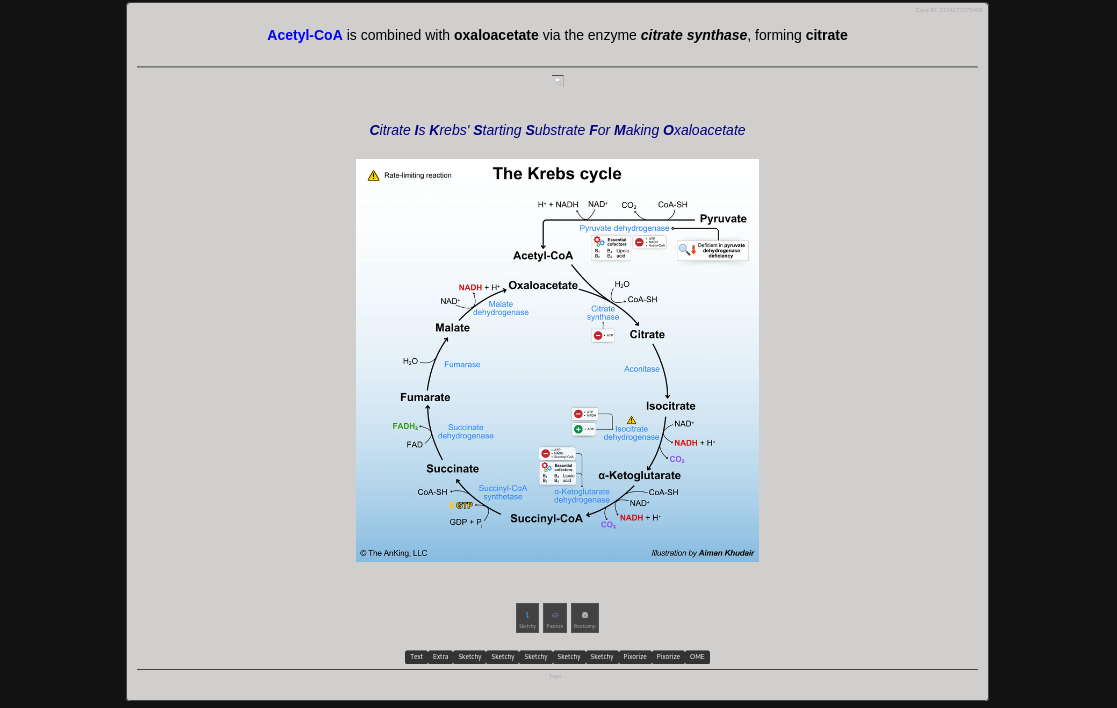
Clean, readable, and print-friendly HTML output suitable for: Teaching materials Review sessions Note backups Interactive Media Handling: Embedded media files (images, audio, etc.) External media and additional references are also accessible through dedicated popup windows, providing an enhanced browsing experience All media files are downloaded and stored in a local directory. Each Card ID is uniquely referenced via anchor tags for quick navigation
Requirements Anki 2.1.50 or later AnkiConnect add-on (ID: 2055492159) Necessary for fast, non-blocking card queries and media handling
Note: Without AnkiConnect, the add-on cannot function.
How to Use Go to Tools > Export to HTML. Select a deck and/or enter one or more tags. Choose an output folder. Click Export.
Open the generated HTML file in your browser and click on media files or additional references to view them in separate popup windows.
Source Code & Feedback
The project is open-source and hosted on GitHub: 🔗 https://github.com/GitCrush/anki-html-exporter-plugin
Contributions, issues, and suggestions are welcome!
You can also reach me via email:
Screenshots
Liên kết hỗ trợ
Reviews (3)
👍 2025-06-24
Thank you very much. It is exact what I needed. I love it. I use it every day. Great job. ***** Regards Peter Comment from author Glad to read that - thank you!
👍 2025-06-22
The second field only has one word in japanese, but it doesn’t appear anywhere. I tested it with another deck, and it worked, but it always puts all the information from the back of the card on the front, and the rest of the information appears when clicked. The answers always show up, and the questions appear as an option to click, not sure if that’s how it’s supposed to work Comment from author Can you give me an example of the cards you are trying to export? This can happen when templates wi
👍 2025-04-26
Works! Had to print my cards for an exam. I just added “@media print { .card { break-inside: avoid; }” to the style to avoid awkward page breaks, and everything turned out perfect. Comment from author Many thanks for your feedback! There are still several items that need some tweaking - I will also put the printing functionality on my list.
