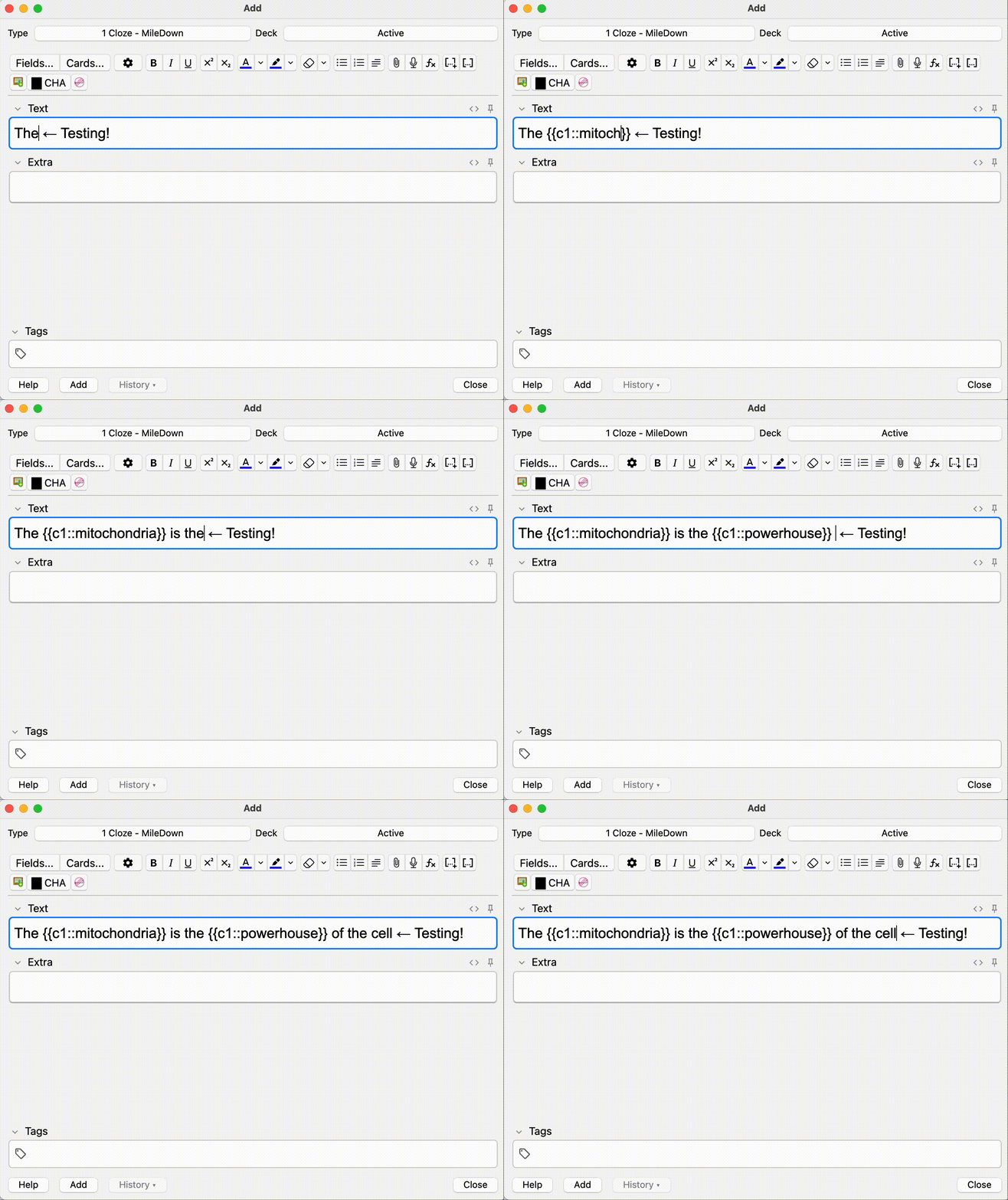
Streamline your Anki workflow by enabling the Tab key to jump outside Cloze deletions ({{c1::text}}). When your cursor is positioned directly before a closing }}, pressing Tab moves it to just after the braces.
Features
Tab Out of Clozes: Moves the cursor to the position after }} if immediately to the right of the cursor.
Default Behavior: If not next to }}, Tab moves to the next field as usual.
GitHub
Installation
Download and install the add-on.
Restart Anki to activate.
Usage
Place the cursor right before }} in a Cloze deletion and press Tab to jump outside the braces. Otherwise, Tab follows Anki’s default behavior.
License
GNU AGPL, version 3 or later.
Screenshots
Liên kết hỗ trợ
Reviews (3)
👍 2024-12-17
This works! Thank you for sharing
👍 2024-12-06
Thank you!!!!!!!!!
👍 2024-11-13
Works great! A neat time-saver
