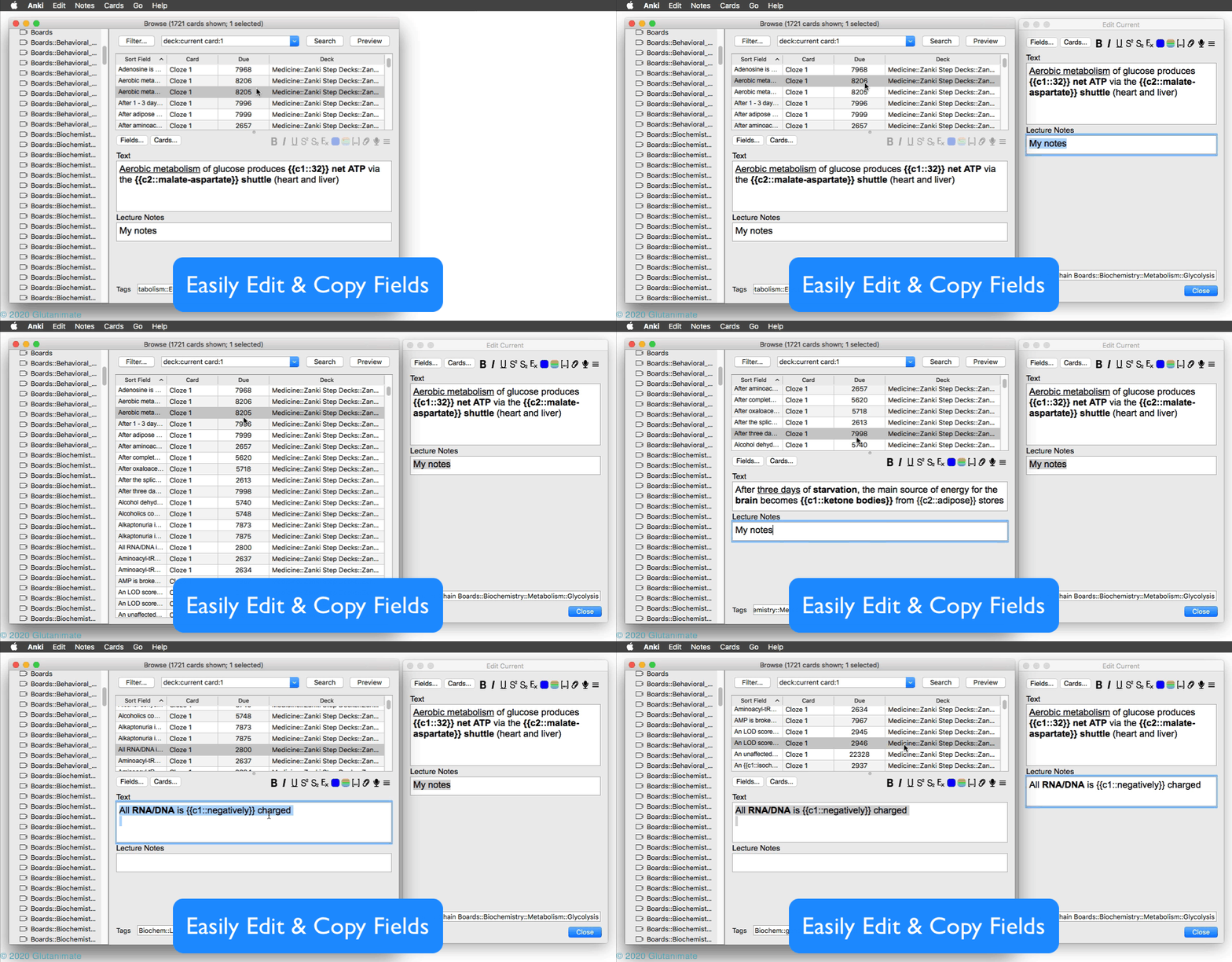
Extends the card browser with a shortcut and menu action that launches an external editor window for the current note (CTRL+ALT+E).
USAGE
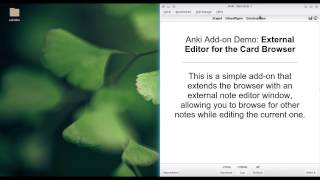
For a quick video demonstration and different use cases please see here:
(recorded on Anki 2.0)
CONFIGURATION
You can customize the hotkey by heading to Tools → Add-ons → and then double clicking on External Note Editor for the Browser, or selecting the add-on and then clicking on “Configure”.
CHANGELOG
Version 1.0.0 – 2020-03-31
Thanks to all the awesome folk over on Patreon who helped me test this release over the past three weeks. You guys rock!
Added
Anki 2.1 support! (thanks to @ijgnd for his help with this!) Customizable hotkey Fixed
Various smaller issues with dialog management Changed
Rewrote major parts of the add-on, implement brand-new changes to the Anki add-on API (which should make the add-on future-proof for the Anki updates to come) You can view all past releases here.
HELP AND SUPPORT
Please do not use reviews for bug reports or support requests. I don’t get notified of your reviews, and properly troubleshooting an issue through them is nearly impossible. Instead, please either use the issue tracker (preferred), add-on support forums, or just message me at ankiglutanimate@gmail.com. Constructive feedback and suggestions are always welcome!
CREDITS AND LICENSE
Copyright © 2017-2020 Aristotelis P. (Glutanimate)
Licensed under the GNU AGPLv3, extended by a number of additional terms. This program is distributed in the hope that it will be useful, but WITHOUT ANY WARRANTY. For more information on the license please see the LICENSE file accompanying this add-on. The source code is available on GitHub. Pull requests and other contributions are welcome!
MORE RESOURCES
Make sure to check out my socials for the latest add-on updates and news: @Glutanimate | / Glutanimate New: Receive notifications about new add-on releases via @AnkiUpdates Want to hire me to work on add-on for you? Get in touch at ankiglutanimate@gmail.com
SUPPORT MY WORK
If you like External Note Editor for the Browser, please give it a thumbs up and share it with your friends, so that more people can enjoy it!
A kind request: Writing, supporting, and maintaining Anki add-ons like these takes a lot of time and effort. If External Note Editor for the Browser has been a valuable asset in your studies, please consider using one of the buttons below to support my efforts by pledging your support on Patreon, or by buying me a coffee. Each and every contribution is greatly appreciated and will help me maintain and improve External Note Editor for the Browser as time goes by!
Pro-tip: Lots of exclusive add-ons and other goodies await on my Patreon page. Make sure to check them out!
Screenshots





Liên kết hỗ trợ
Reviews (25)
👍 2025-03-23
broken
👍 2025-02-25
This has become one of the most value-add add-ons for me - saves a tonne of time and effort when editing particularly for mass quantity. Thank you SO much! Even though this has to be updated, thanks for creating this so that the later versions were just worked off this.
Edit - to everyone else: 1284875472 is the new fixed version of this add-on and works well for me as of the current date, with the exception that I HAVE to change the keyboard shortcut otherwise it “adds” a new note instead of
👍 2024-02-22
Please update to 23.12!!
👍 2023-06-20
Great use case, unfortunately, the cursor keeps jumping back to the end of the card, when typing, especially when I enter a comma sign. This bug makes it almost unusable, as its quite frequent. Would be great if the author could fix it.
👍 2022-06-20
Check out Browser: Table/Editor side-by-side (horizontal split) https://ankiweb.net/shared/info/831846358
👍 2022-06-11
The text cursor constantly jumps back to the beginning of the card (2.1.49)
Please fix this I love this add on
https://github.com/glutanimate/browser-external-note-editor/issues/5
👍 2022-03-27
The most useful addon! But since version 2.1.49 does not work properly - the caret constantly moves to the top!
Glutanimate please fix issue#5 by Chris130700 on your github. Please please please, i can’t work without this addon!!
👍 2021-11-18
Great addon!
👍 2021-08-20
Extremely useful add-on, just waiting for the author to update to change to Anki version 2.1.46 :)
👍 2020-10-31
Thank you!
👍 2020-10-14
Thank you very much!
Exactly what I was looking.
👍 2020-07-17
thanks
👍 2020-06-19
Excellent – thank you very much!
The built-in shortcut for macOS is by the way ⌥⌘E.
Anki 2.1.26 on macOS 10.14.
👍 2020-05-25
I love all Glutanimate addons! Comment from author before post was edited Just updated the add-on with Anki 2.1 support! :)
👍 2020-04-11
I like it. Recommended!
👍 2020-04-01
You’re the best!
👍 2020-04-01
Thanks!
👍 2020-04-01
This makes it easy to copy & paste between cards. Another great add-on from the great Glutanimate.
👍 2019-12-17
This is great addon..!
But who can help to update to 2.1?
Can’t find any other with similar function in version 2.1 Comment from author Just updated the add-on with Anki 2.1 support! :)
👍 2019-03-12
Fantastic.
👍 2018-10-23
Excellent. I hope you can update to Anki 2.1
👍 2018-10-14
Using the add note dialogue is much more comfortable
👍 2018-09-25
Fantastic! Thank you so much!
👍 2018-02-10
Nice!!!
👍 2018-01-14
That’s very useful. Thanks
