Interactive Heatmap
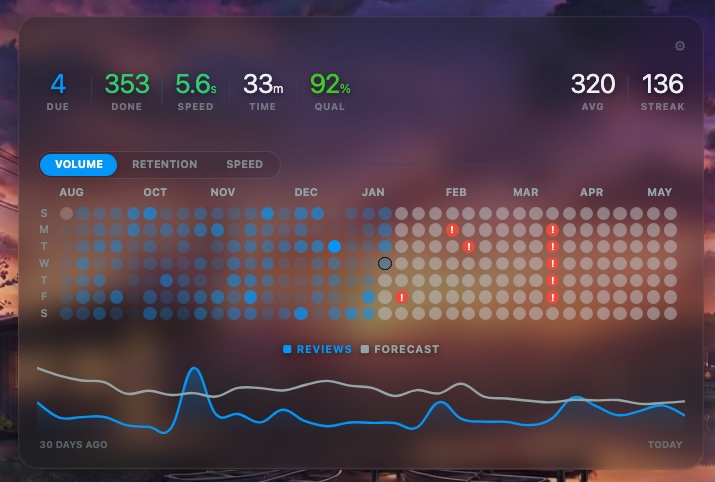
Interactive Heatmap is a modern, data-rich visualization tool for your Anki dashboard. It offers a fully interactive timeline with integrated journaling, trend graphs, and a premium “Liquid Glass” aesthetic.
Inspired by the visual style of Flux V3, this add-on brings a modern interface to Anki while providing additional data into your study habits.
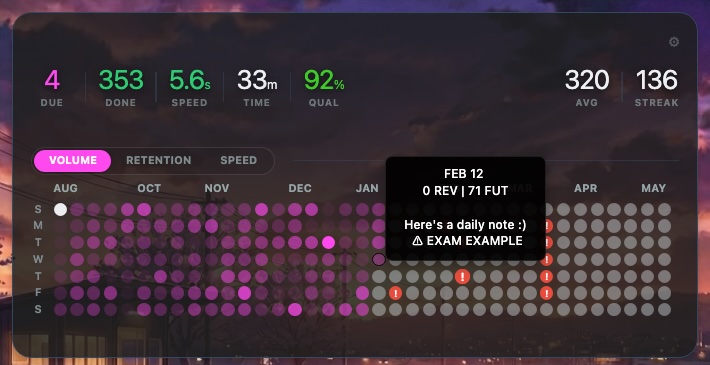
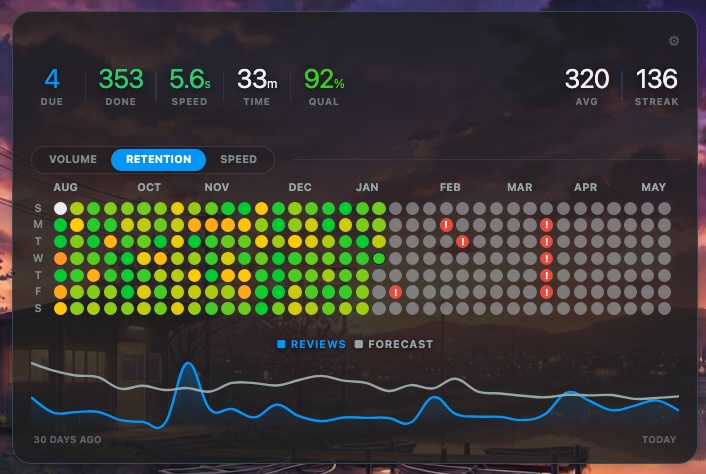
Key Features Three Visualization Modes Volume: Classic heatmap based on daily review counts. Retention: Color-coded tiles based on your pass rate. Speed: Tracks your average seconds per card. Integrated Graphs Visualize trends instantly with the bottom graph panel. You can toggle specific metrics to overlay them on the graph: Review Counts Time per Card Retention Rate Future Forecast Daily Journal & Exam Tracking Journaling: Click any tile on the heatmap to open a daily note. This allows you to log sick days, life events, or study milestones directly onto your history. Exam Markers: Flag specific dates as “Exams” or “Deadlines.” These dates appear with a visual warning indicator on your heatmap to keep you focused.
Customization & Design
Liquid Glass Effect: The add-on features a semi-transparent background with blurred effect Fully Configurable: Glass Opacity: Adjust the transparency slider to match your background. Text Shadows: Toggle shadows for better readability on light or complex backgrounds. High Contrast: Switch to a monochrome text mode for legibility. Theme Colors: Customize the base color using Hex codes.
How to Use Toggle Modes: Click the buttons (Volume / Retention / Speed) on the dashboard to switch views. Settings: Click the gear icon in the top right corner of the heatmap to change colors, start dates, and graph options. Notes: Click directly on any circle (day) to add a note or flag an exam for that date. Credits
Original visual inspiration by Flux V3. Developed by ger1atric.
Changelog
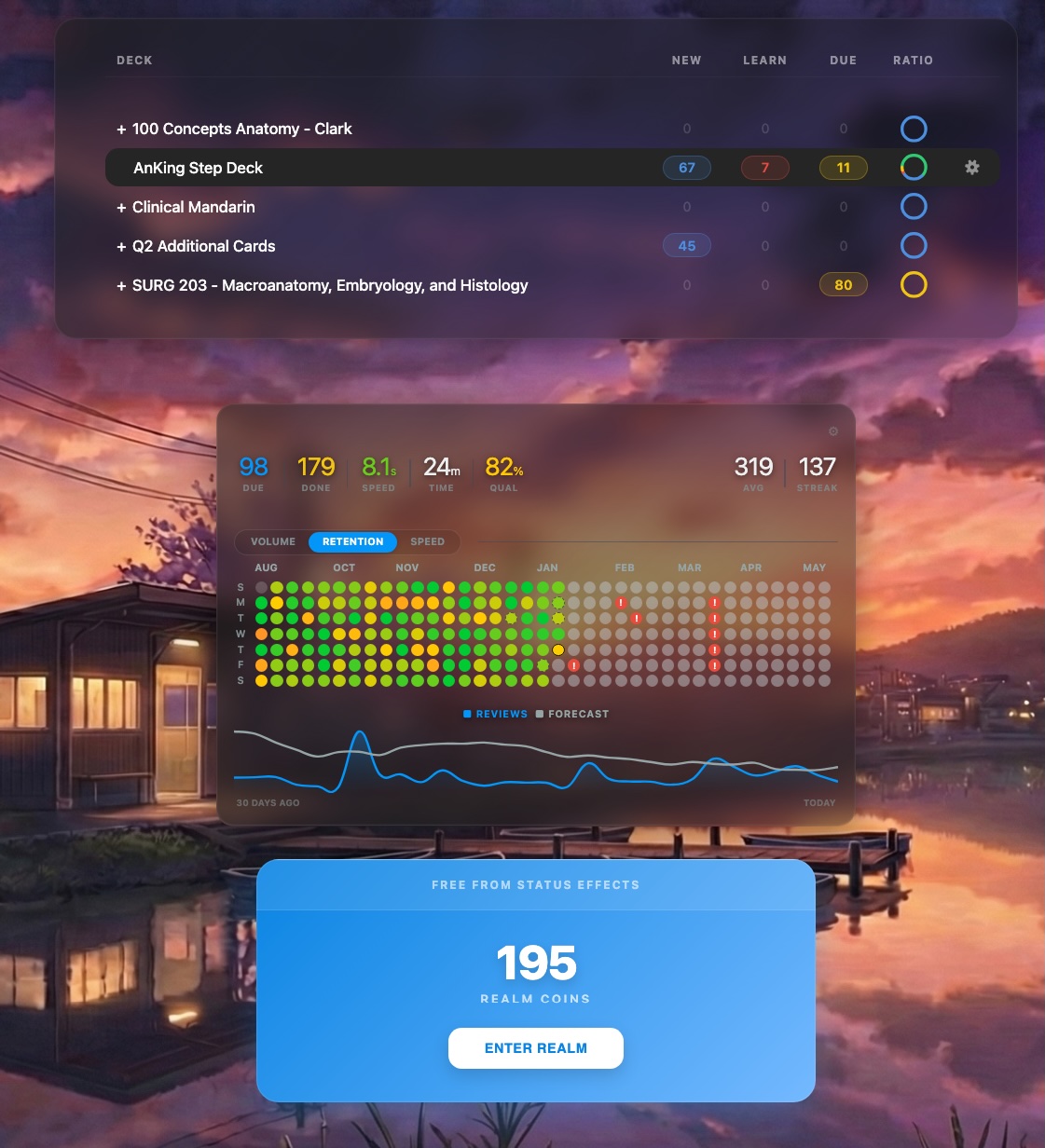
2026-01-08: Added modern deck list theme with small pie plots to show percentage of cards in each category (blue = new, red = learning, yellow = review, green = done). You can turn this off if you do not like the styling.
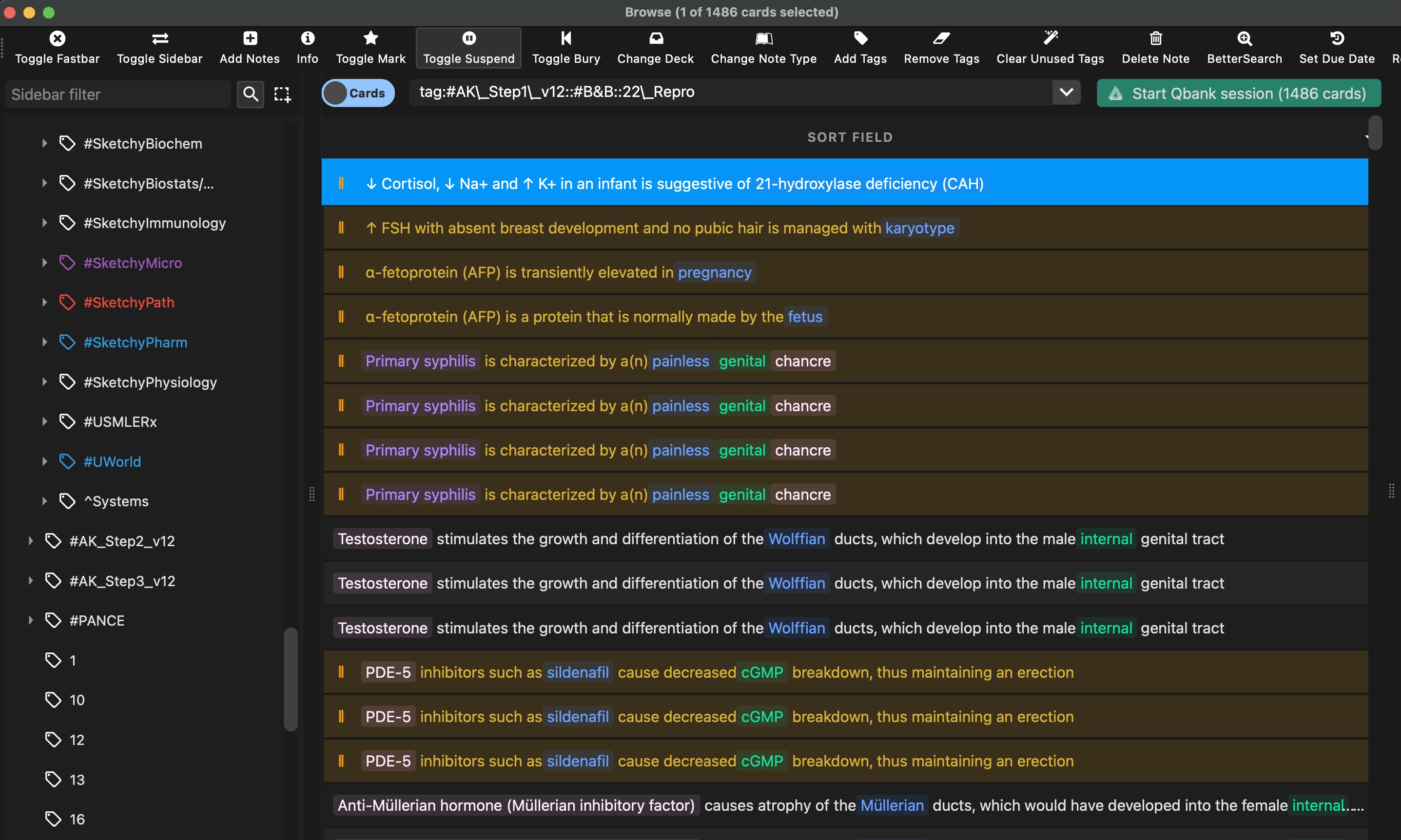
2026-01-23: Added the option to restyle the browser theme to autoformat cloze style cards into colored labels to quickly review card content. Added further customization to colors on card counts for the restyled deck list. Added options for viewing average cards/day using only information from the most recent week, month, year, and all history. Other minor bug fixes.
Calculation for retention was also revised so the first pass on new cards do not count towards retention.
2026-01-30: Minor aesthetic bug fixes, working on suggested updates and will post at a later date.
Screenshots
Reviews (26)
👍 2026-02-28
It looks very nice, but I don’t know why. After using the theme, the left sidebar of my card browser interface has a display issue. The triangular symbol ▲ doesn’t show up, and I don’t know the reason. Could it be because I’m using the Chinese interface?
👍 2026-02-25
Love this, been using it for a few weeks and it makes Anki feels really quite modern! The progress circles on each deck adds a nice level of satisfaction too.
A few things with Interactive Heatmap that I hope can be addressed going forwards!
- I felt the UI could be a bit glitchy sometimes (lots of glitchy triangles that would rectify themselves when scrolling) but that seems to have been resolved in the 2026-02-25 update. The UI vanishes for a second every now and then (I suspect this is when
👍 2026-02-11
Great addon. I think you should position this as a general anki theming engine too. I really like the browser theming, very intuitive. Does it have a github I can post FRs and Issues to? I have some UI suggestions to make in the browser theme. I currently use GitHub dark and I think the background as weel as some of the margins are not having enough visual contrast. it makes the browser too dark. I can’t see the handles to resize the inner partitions. Please make it a bit clearer. Another really
👍 2026-02-08
This add-on looks much better than the previous heatmap that i had however, there are a few things i wish could be improved
-The due counter shows everything thats due on that day, everything, even if the card is suspended or burried. It should only show card due on that day that u will actually do. -Maybe this is just me, but the color variation on the dots in the “voluume” mode is too light. I find that it makes alot of days look like ive done nothing.
UPDATE: I like how u can choose what d
👍 2026-02-05
Really good add-on I have a few suggestions for future updates:
Option to set Monday as the first day of the week: It would be great to have a toggle or a config entry to start the calendar week from Monday instead of Sunday.
Specific Deck Selection: An option to filter the heatmap and statistics for a specific deck
Improved Vertical Spacing: Adding more vertical spacing between the calendar (days) and the bottom section (legend and line graphics) to improve UI Comment from author Sure, I ca
👍 2026-02-03
Excellent
👍 2026-02-03
“Clicking on a day will draw up the corresponding cards in the browser” - this feature of original review heatmap by Glutanimate is really useful. Can you implement it? Your clicking on a day to add a task is interesting but probably will be better just as a “add a task” button imho.
👍 2026-02-02
impressive :D
👍 2026-01-31
Great add-on! It really beautifies anki
There were two things I was wondering/noted:
- Is it possible to make the title of filtered decks a different color from typical decks?
- When there are multiple subtags within a particular tag in the browser, it can be difficult to see where to click to expand and compress the list of subtags. If it’s possible to make this easier to navigate.
Again, thank you for this great add-on
👍 2026-01-27
Can you add an option to have the graph/stats ignore specific decks? Comment from author Yes, I can look into it to see if I can add a filter into the setting to ignore certain decks.
👍 2026-01-27
The heat map doesn’t appear for each deck. It would be interesting if it had this feature. Comment from author Yes, I can look into this, give me some time to try to find a good implementation.
👍 2026-01-26
Job well done.
I have few suggestions. Can you change the shape of ratio from circle to a progress bar like this add on: https://ankiweb.net/shared/info/870148186?
Right now changing the width from appearance changes the width of both deck window and heatmap? Can you add separate option for them? so that changing the size of one doesn’t affect the other. Comment from author I like the suggestions, I’ll look into both to see if I can implement it. It has been a little tricky to get the width s
👍 2026-01-26
Loving it, thanks for fixing the issues fast and implementing new features. Comment from author before post was edited I’ll make the deck list have adjustable width so it’s fully customizable in my next update coming out soon!
👍 2026-01-25
Hey for some reason the new modern browser setting is causing Anki to collapse when searching the browser. I tried toggling it on/off… but to no avail. Absolutely love the add-on but unusable with the current update :( Comment from author Dang, sorry to hear. I’ll try to fix it ASAP.
I tried to reproduce the error, but haven’t been able to. Do you have a list of your current add-ons so I can see if there are any that conflict with mine? I’ll try to put up a hotfix in the meantime to make sur
👍 2026-01-24
Hey, the restyle the browser messes with my ReColor settings form AnKing, is there a way to fix this? If i try turning it off in the new settings it still does not work. I also still see the borders of the old Box of the deck.. im using the Catpuchin Macchiato Palette btw :)
Comment from author Hmm, I don’t have the recolor setting. I’ll try downloading it and see if I can find a fix. I can’t promise one but I’ll try my best!
👍 2026-01-24
The new update made the dashboard thin. Could you revert back to how it used to be before the update or add an option please. As a medical student most of my decks are long titles. Comment from author Hey there! Me too! My decks have generally been on the shorter side. I’ll add the option to change the width of the deck list in my next update!
👍 2026-01-21
Thank you
👍 2026-01-19
This looks amazing! I also love the ability to mark down exam dates on the heatmap and the amount of customization we can do.
- However, I noticed that when the liquid glass background is enabled, it causes the deck UI to be asymmetrical (wider on the left and narrower on the right). This is especially apparent with the Custom Background addon.
- Also, can you add an option to change the colors of the “New”, “Learn”, and “Due” numbers?
- Can you make it possible to add more than one exam opti
👍 2026-01-18
Great looking, clean add-on. However, I dislike how it handles the due cards. It shows all cards that were due before or on today, even if they are suspended. I would much prefer it to show the due cards today that Anki shows (not suspended) Comment from author Hmm, I ran into a similar issue when testing. but thought I fixed it. I’ll look into it more to see if I can provide a fix as I agree that the logic you describe better suits the “due” category.
👍 2026-01-17
Great. But it removes the leaderboard Add-on on the front homescreen. anyway to bring it back? Comment from author Yes, I am working on a fix for it at the moment.
👍 2026-01-17
Works great and looks amazing, but can the code be uploaded to the GitHub repository though please (https://github.com/ger1atric/interactiveheatmap) so that I can use the addon on my main computer with nixOS, because Anki on nixOS requires all installed addons to have their code available on GitHub. Thanks so much in advance :). Comment from author Sure, I can do that!
👍 2026-01-17
17 jan has a very annoying bug , for some reason only after adding the addon sometimes i show myself the answer of a card and then flag the program spits out this message :
card was modified: Normal( Review( ReviewState { scheduled_days: 1, elapsed_days: 1, ease_factor: 2.3, lapses: 1, leeched: false, memory_state: Some( FsrsMemoryState { stability: 0.225,
👍 2026-01-11
so beautiful!!! amazing work!
👍 2026-01-10
How do you get rid of the Buried column?
👍 2026-01-08
Absolutely gorgeous heatmap function. I like having a clean interface, and this addon lets me change the heatmap color to match my backgrounds and is visually pleasing!
👍 2026-01-08
Absolutely gorgeous. Anki needs more good looking interfaces like this!
