Paper
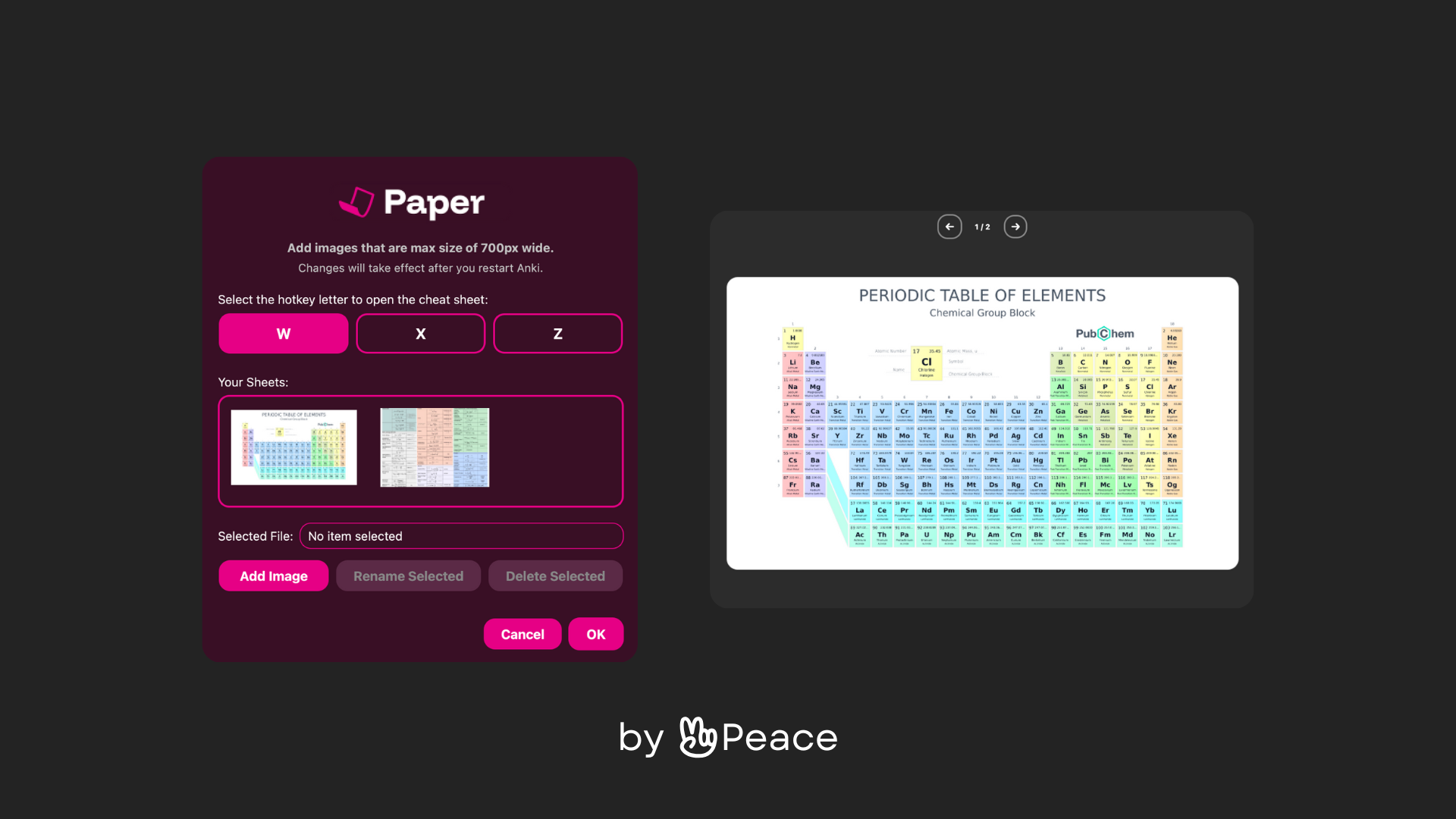
On Paper (former PopSheet) you have access multiple cheat sheets, one popup away, as if you had a small notebook while studying. Just hit the hotkey you chose in settings while you’re reviewing and select the number of the sheet you want to check out. You can easily access your list of sheets going to Tools -> Papers and choosing which ones to add and which ones to delete. This is especially useful if you’re studying to the SATs, MCAT, ENEM, JEE or NEET. Was inspired by ChartPop.
Check out the add-on on Anki Addons here.
⭐️ Tips before you get started Go to Tools → Papers select a hotkey (W, X or Z) or use the default W hotkey. Upload at most 9 cheat sheets to the add-on (and if you want, delete charts 1 and 2, those are just samples). Keep the sheets inside the 700px wide, and if you don’t want to scroll through the sheet, keep it around 450px height. Restart your Anki and start your studies! 📸 Preview Note
This was my first ever add-on, feel free to let me know on github if there are any bugs, I tested in on Mac, I’ll be working on that throughout the year. I’ll be accepting ko-fi donations soon! Don’t forget to up-vote if you liked it!
Screenshots


Liên kết hỗ trợ
Reviews (6)
👍 2025-12-17
Really cool, does it work on the main screen? or only during review? Comment from author Works on the main screen as well :)
👍 2025-10-13
Thanks!!!
Very useful… Comment from author Thank you a lot! Working actively to make it even better!
👍 2025-10-12
useful for exams with formula sheets or periodic table etc
👍 2025-08-30
Amazing addon, so helpful !
👍 2025-07-05
Very nice! Thanks for sharing my dude!
👍 2025-07-05
Great addon. thank you for making it ❤️ Comment from author Thank you a lot, glad it’s being useful 🤩
