Ever finish your Anki reviews and wonder what you should study next? Study Triage+ turns your reviews into a clear, actionable study plan. Instead of just showing stats, it analyzes how you’re actually missing cards and surfaces the topics and resources most likely to improve your retention.
At a Glance Find what you’re missing: Identifies high-yield weak areas from Again/Hard patterns. Get actionable recommendations: Pairs missed topics with relevant resources. Direct resource links: Includes clickable links to supported resources when available. Note: Resource coverage varies by source. Save a study plan: one-click “to-do” list so nothing gets lost.
Install it and Study Triage+ will immediately surface your highest-yield weak areas based on your existing review history and past misses.
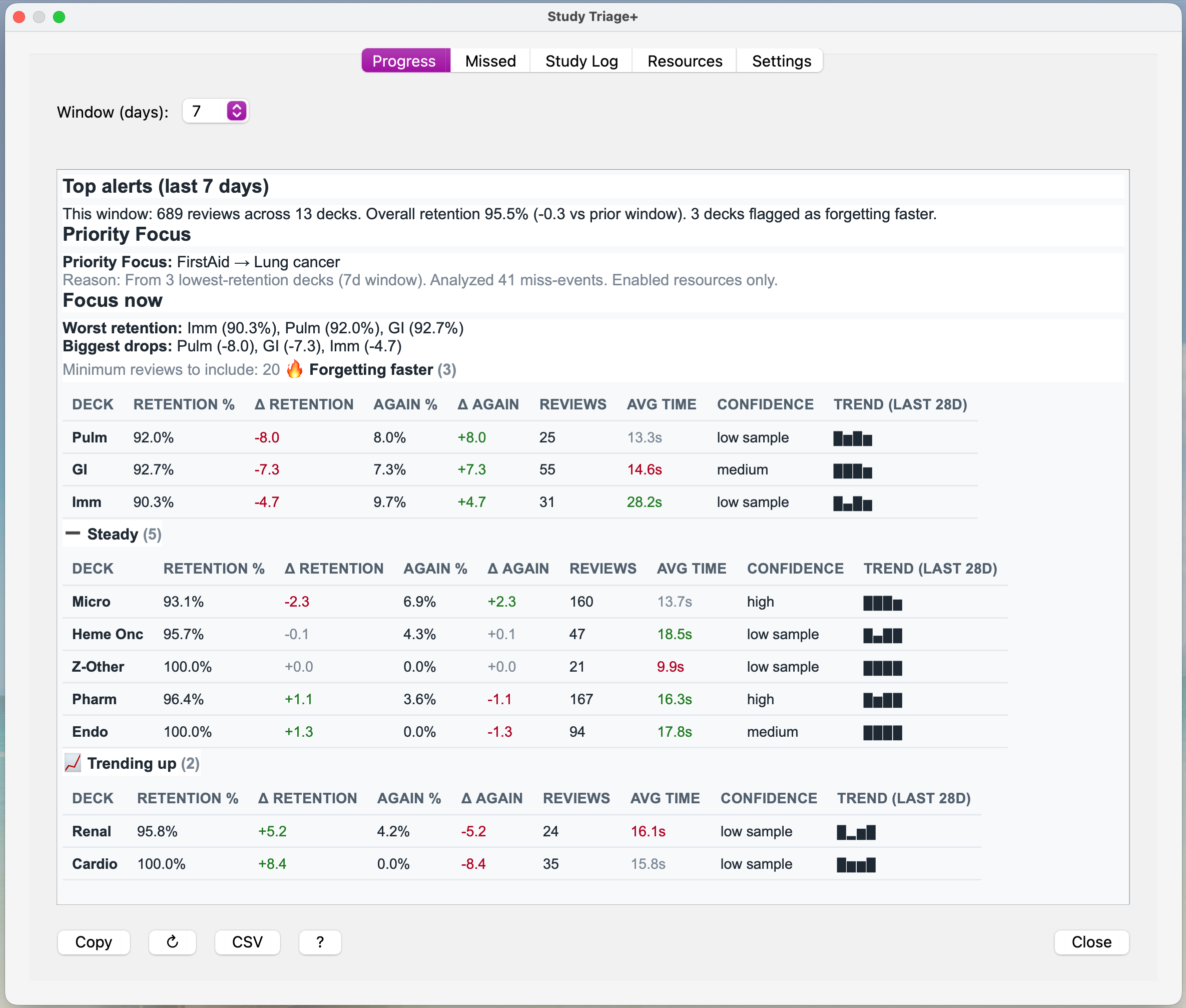
Progress
Progress: A clean, rolling view by subdeck showing retention, Again%, week-to-week changes, confidence level, and recent trends. Highlights decks that may be slipping so you can course-correct early.
Note: The Progress tab works best when your collection is organized into subdecks. If your deck isn’t organized into subdecks (for example, an unmodified AnKing deck), this view may show limited detail.
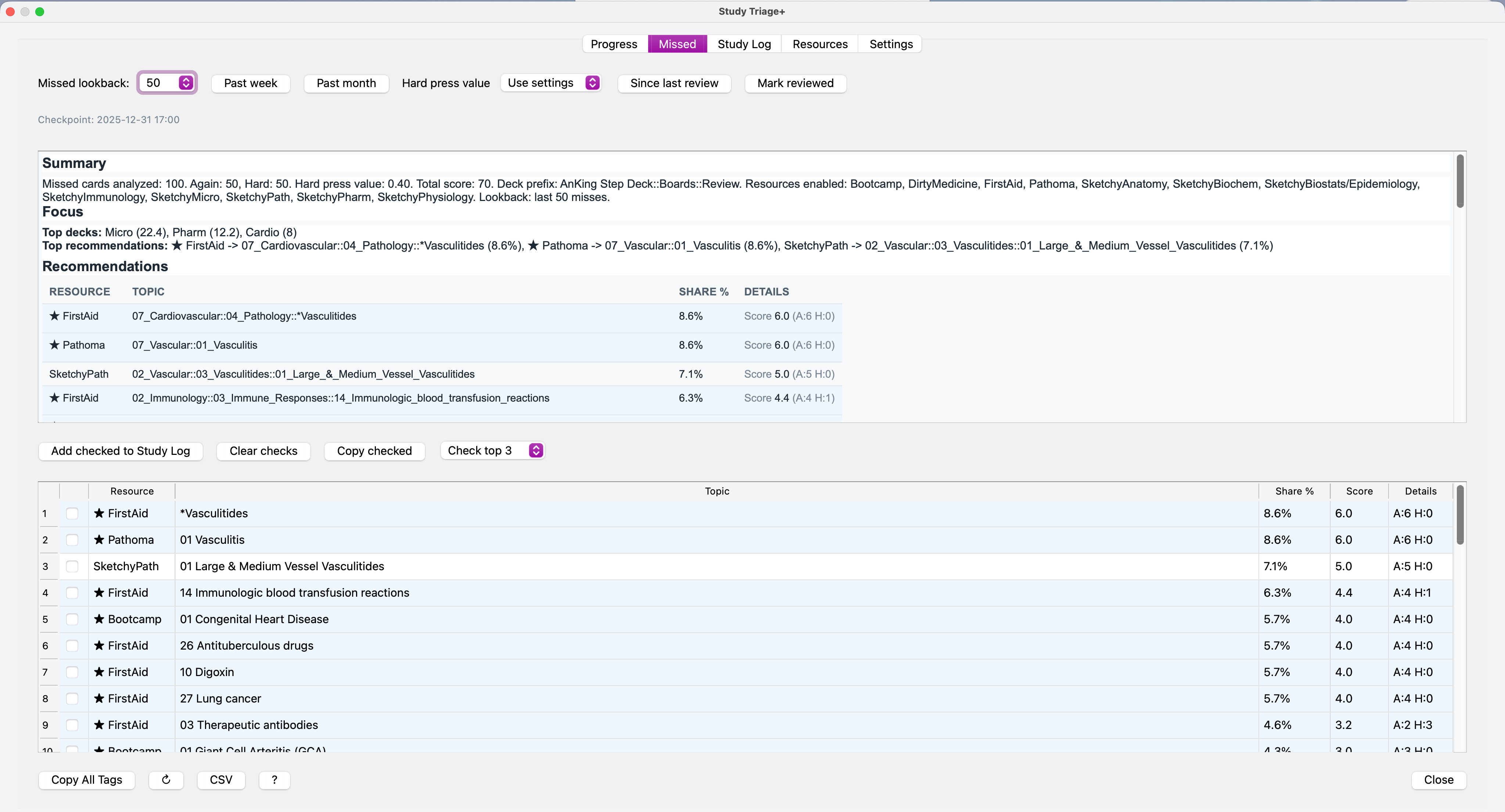
Missed
Missed: Breaks down your Again/Hard misses to surface the highest-yield topics and resources behind them. Supports last N misses, past week/month views, and a “since last review” checkpoint to keep recommendations fresh. Study Log
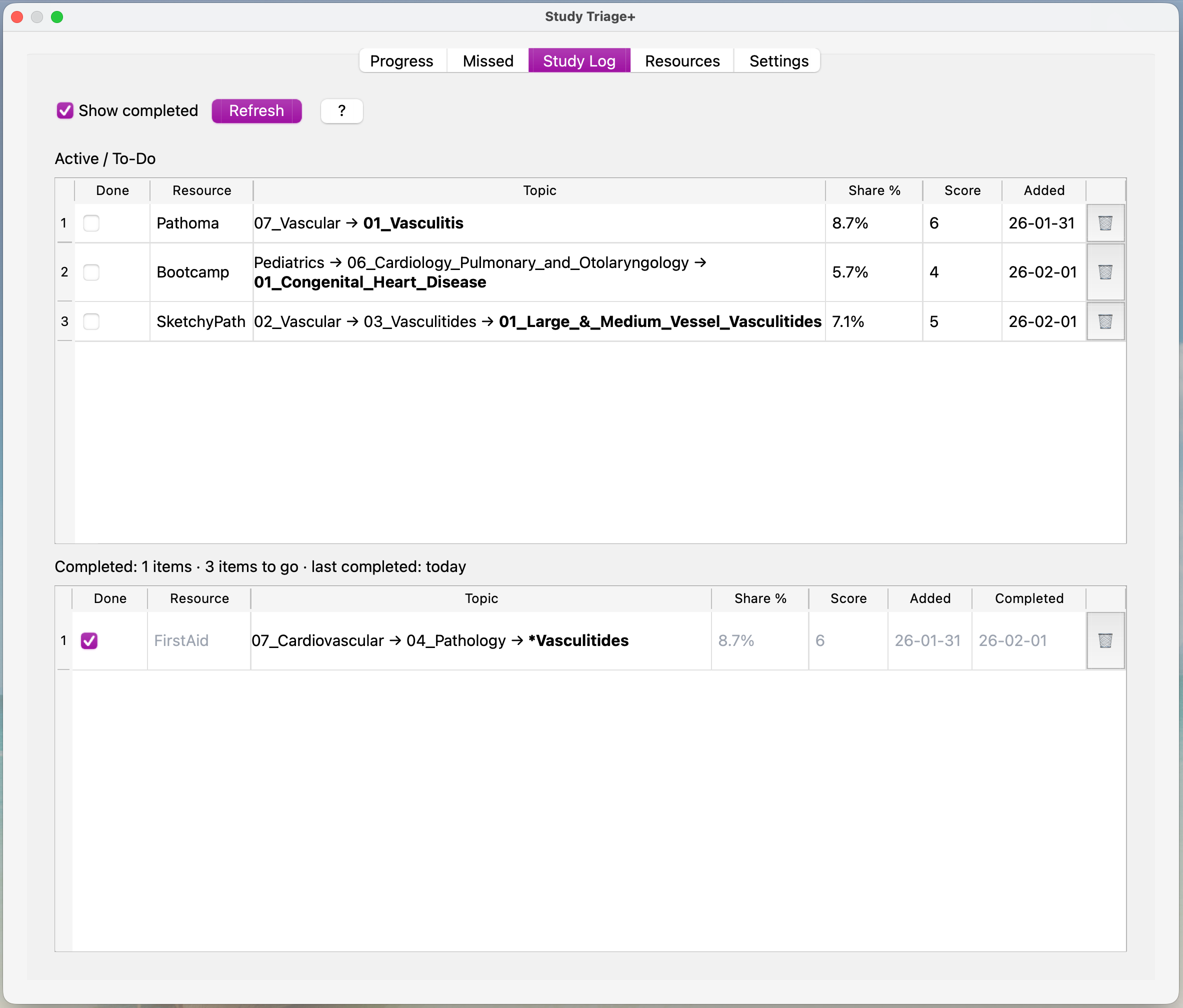
Study Log: Save recommendations into a persistent to-do list so nothing gets lost. Each saved item is clickable: open linked videos/images (when available) or jump straight to matching cards from the tag. Resources
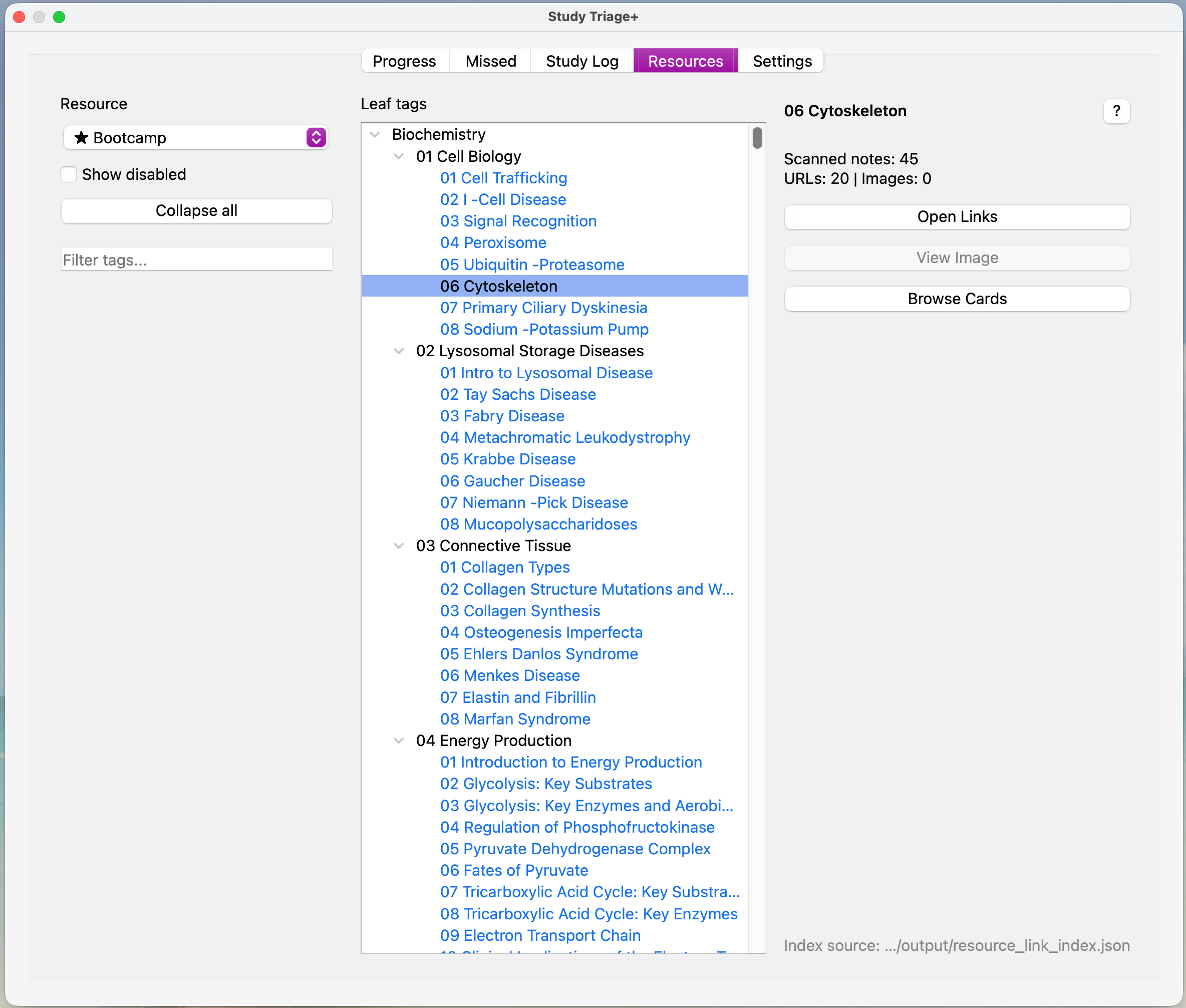
Resources: Browse your tag index by resource, explore topics directly, and open linked videos/images where available. For resources without direct links (such as First Aid), you can still jump to the relevant chapters using the tag path as a guide. Designed for AnKing-style decks
Works best with hierarchical tags and resource tags (Bootcamp, First Aid, Pathoma, Sketchy, etc.).
Optional: Resource Indexer Add-On (for custom decks or future updates)
You do not need anything extra. Study Triage+ ships with an included resource database and works out of the box.
If you use a non-AnKing deck, add your own resources, or want an up-to-date database in the future without waiting for a full Study Triage+ release, you can install the optional Resource Indexer add-on to generate an updated resource index directly from your collection.
What’s New Version 2.6 Leaf Hub Mode: Groups related missed topics into coherent concept hubs so recommendations are cleaner and easier to act on. Fixes & Improvements: Minor bug fixes, performance optimizations, and internal cleanup for a smoother experience. Version 2.5 Review Modes Logic Fixes: Fixed underlying Review Modes behavior for more consistent results. Improved Session Tracking: Better review-mode session tracking and more accurate exclusion handling. New About/Help Page: Added a dedicated Help section with Review Modes explanations and an FAQ. Quick Settings Shortcut: Added Utilities → Resources Enabled… for faster access to key settings. Video Resources: Added mapped Dirty Medicine + Ninja Nerd Step 1 YouTube links tied into existing canonical topics. Version 2.4 Filtered Tags: Hide unwanted tag roots/branches for a cleaner tag view (no tags are modified). Review Modes: New Grace Period and Learn Mode to temporarily ignore misses during backlogs or new-card learning. Bug Fixes & Stability: Major performance, reliability, and smoother UI improvements across the add-on. Setup Wizard: Added a guided first-time configuration flow to help users get started quickly. Faster Resource Indexing: Switched resource-link indexing from JSON to SQLite for much faster loading and querying. Database Safety Checks: Added strict DB schema/version validation for safer indexing. Global Step Filtering: Added consistent Step 1 / Step 2 filtering across Resources, missed-tag extraction, recommendations, and Browse Cards. Step Filter Accuracy: Fixed step-filter inconsistencies (“step bleed”) so all results match the selected step. Canonical Resource Matching: Standardized resource matching with a canonical resource_key mapping to prevent name-mismatch issues. Image Viewer Improvements: Enhanced the image viewer window for smoother browsing. First Aid Page Numbers: Added First Aid (2025) page references throughout the Resources tab for faster topic lookup (page estimates based on First Aid for the USMLE Step 1 (2025)).
Support / Issues: A dedicated support and issue-tracking link is coming soon. For now, please report bugs through AnkiWeb comments and include the Debug Report output when possible.
Troubleshooting
If something breaks, here’s what to send so debugging doesn’t turn into a guessing game.
How to generate debug info Open the add-on folder: Anki → Tools → Add-ons → select StudyTriage → View Files Find the log file: open the data/ folder → study_triage.log Use the built-in Debug Report (recommended): StudyTriage window → Settings → Advanced → Debug Report → copy output What to include in a bug report What you clicked, and what you expected vs what happened Your Anki version (e.g., 2.1.xx) and whether you’re on Qt5 or Qt6 Either the last ~50–200 lines of study_triage.log from when the issue occurred and/or the Debug Report output (Settings → Advanced → Debug Report)
Screenshots
Reviews (2)
👍 2026-02-02
Best Addon I have ever used!
👍 2026-02-02
Great add on
