Ankimote is an addon that adds remote control functionality to Anki. After installing this addon, selecting ‘Ankimote’ from the Anki toolbar will start Ankimote and display a QR code and URL directing to the remote that can be accessed by any other device on the local network (usually your phone). Best used with the Anki Zoom addon to make card text bigger. Then place your laptop far away (or plug into an external monitor or TV) and put your feet up!
FEATURES Answer cards (again, hard, good, easy) from the remote and get visual feedback on the desktop app Scroll up, scroll down, undo from the remote One-hand (Swipes) and two-hand (Taps) control interfaces Switch decks without touching your computer Works with the AMBOSS addon to flip through popups ‘Show Hints’ action reveals hidden portions of cards in common decks such as Anking and Pepper Advanced features (see addon config in Anki): Custom actions to trigger execution of user-defined Python code (to interact with Anki) or Javascript (to interact with the current card) Custom hook support for integration with other addons LIMITATIONS/TROUBLESHOOTING Both devices must be on the same network (usually the same WiFi name), and the network must allow local communication (public networks like coffee shops and some schools may not work) Workaround (if you know some networking): when the above conditions cannot be met, try enabling Bluetooth tethering on your phone and connect your computer to your phone’s Bluetooth. In your computer’s Bluetooth settings, use “connect to network” or similar to create an internet connection over Bluetooth between the two devices. Then find your computer’s IP address on the Bluetooth connection, and use that IP address instead of the one Ankimote displays. Use the same port displayed by Ankimote. If the page never loads on your phone, make sure you have allowed Anki firewall access on both public and private networks. VPN must be off on both phone and computer. If you experience bugs after updating this addon, clear browser cache on your phone, as browsers will sometimes use a cached older versions of web page components Problems with AMBOSS? Try updating to the 7/26/21 or later version found here. May be incompatible with some addons that modify the answer buttons (with the latest update, it should work with Button Colors and Auto Ease Factor).
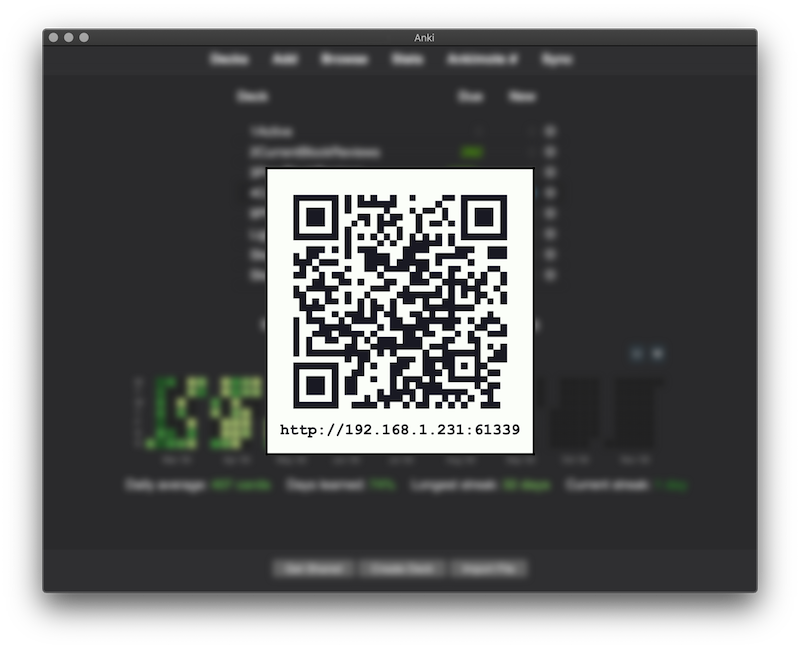
SCREENSHOTS Connect by scanning a QR or visiting the URL from a phone or other device that is on the same local network
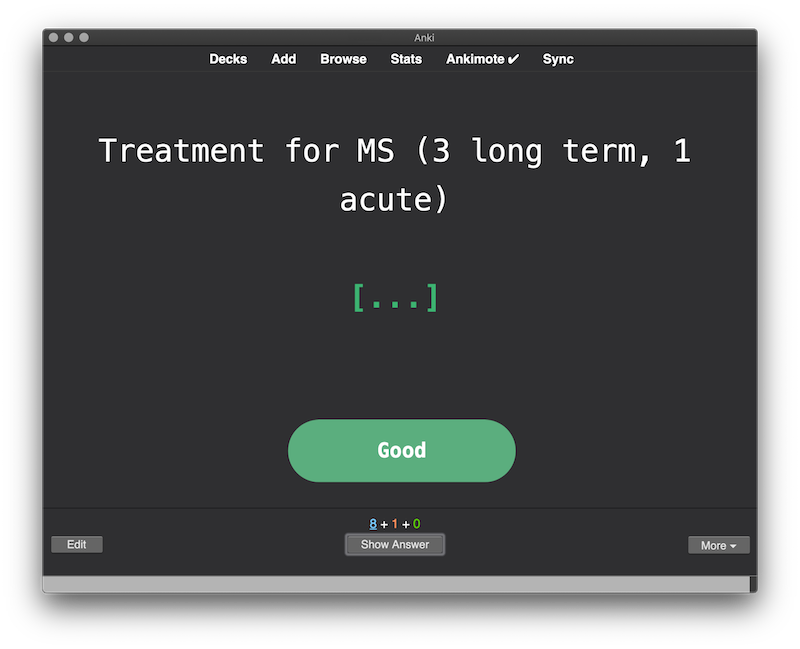
Visual feedback in the desktop Anki app
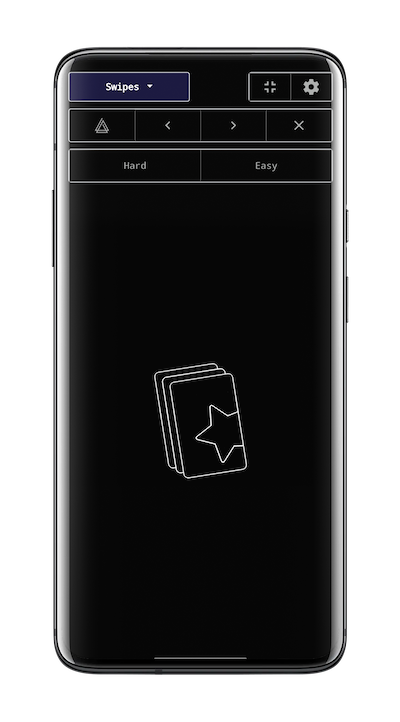
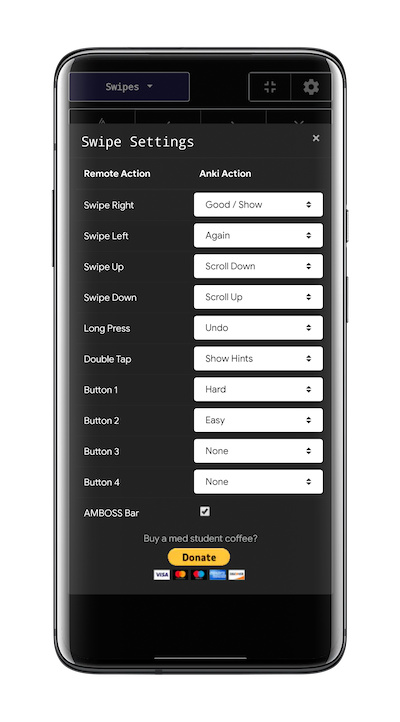
Swipe mode and swipe settings
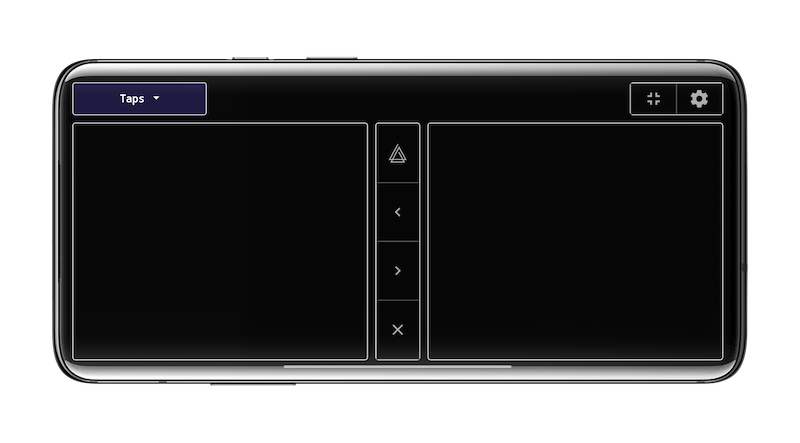
Tap mode (best in landscape)
PRIVACY Ankimote uses Google Analytics to count anonymized users and engagement.
LICENSE MIT License (see github)
BUG REPORTS, FEATURE REQUESTS, SOURCE CODE https://github.com/TheDabblingDuck/ankimote
CHANGELOG 8/11/21 - Fixed inaccurate feedback with V1 scheduler on learning cards, and recognition of ‘undo’ action on V3 scheduler. 7/29/21 - Fixed bug when using V1 scheduler 07/27/21 - Fixed feedback and scrolling for the latest versions of Anki (tested on 2.1.45). Updated AMBOSS integration for the latest version of the AMBOSS addon (07-26-21 update). 07/11/20 - Reworked custom actions to execute Python code instead of Javascript as previously. This allows the user to easily set actions to suspend, mark, bury, replay audio, etc. See addon config within Anki. 07/05/20 - Initial Release
SUPPORT DEVELOPMENT
Screenshots

Liên kết hỗ trợ
Reviews (28)
👍 2026-02-03
Simple to use and effective for review sessions, essentially making them faster. Why use an overpriced remote when you’ve already got your overpriced phone!
👍 2025-12-12
free and effective. But when I click on hard it has no effect
👍 2025-11-11
love this!
👍 2025-04-28
OMG I can’t type all the time because of mobility issues. It works so well!!! I feel like I’m flying through my flashcards
👍 2025-03-25
Works well ! Definitely way easier to get through cards, one of the best add-ons so far. Thank youu so much :)
👍 2025-01-19
Works very well for its current capabilities. Would really love a “reveal next” button for one-by-one cards (lots of them in the Anking decks). It kinda defeats the purpose of the remote when I need to reach out to my computer for certain cards. Overall, very happy with the add on!
👍 2025-01-12
tried scanning it multiple times using different devices but each time it would take very long to load and then say there was an error and wouldn’t load, im using the same wifi on both devices I REALLY WANT TO USE THIS PLEASE HELP.
👍 2024-12-25
Very fun and simple to use. The color confirmation on answer keys (i.e. blue on easy) sometimes doesn’t work however
👍 2024-12-20
It didnt work
👍 2024-12-06
Great add-on!👍️ I developed a custom version of the Ankimote and uploaded it to Ankiweb for fixing a problem with the Ankimote not working on some devices (and a few more options to add), you can try this if the original Ankimote does not work well on your device. After the original add-on has been updated to this fork is not needed. 🕹️Ankimote - Free Anki Remote by Smartphone via Wifi (Custom by Shigeඞ) https://ankiweb.net/shared/info/1960305789
👍 2024-11-23
It shows the text ankimote next to browse in the main menu, is there any way to remove this?
👍 2024-11-17
Holy cow, this is amazing, I don’t need to strain my budget to have controler-like Anki experience. I just sit, connect my phone and do my reviews! Great addon to gamify your learning experience!
👍 2024-10-22
Great add-on! I’m just having one problem: sometimes, when I use the “Good/show” button it bugs Anki and doesn’t show the answer. Do you know any way I could solve this? Thanks in advance
👍 2024-09-26
lets me kick back
👍 2024-09-11
really cool, thanks!
👍 2024-06-08
This add on extremely useful for those who want to work with computer.
👍 2024-06-04
Great addon, can you make work for newer version of anki? Is not working now :(
I found this solution: https://github.com/TheDabblingDuck/ankimote/issues/51
👍 2024-05-15
on 2024-04-16 Does not work on MacBook. With every movement I do, it just yields some warning and does not do anything. Also, Anki can’t close with this add-on installed. Would not recommend!
👍 2024-03-01
Cool idea, seems to glitch out. I’ve uploaded the bug info
👍 2024-02-23
How have i never heard of this until now, people literally sell remotes on amazon for anki and this is so easy to setup and free. it works amazingly. Great addon plz make more!
👍 2024-02-14
This addon makes the physical process of learning and reviewing cards infinitely better. I don’t think I will never go back to using my keyboard.
👍 2023-12-25
the QR code worked the first day and now doesn’t work at all on any phone I use. Tried downloading again and still didn’t work
👍 2023-12-24
Great app.
👍 2023-11-14
A must have addon! It has completely changed the way I study using anki. If you have a tablet you can combine the ankimote with a notetaking program, which makes it easy to take notes and “think on paper” when reviewing anki cards. Its great!
👍 2023-11-05
Amazing especially for preventing carpal tunnel syndrome from getting worse. it hadn’t been working on my pc for a while turns out i had to change firewall setting. Explanation was very helpful
👍 2023-10-22
How to possibly create a command for the reveal next and toggle all buttons in the one by one cards? Thank you
👍 2023-07-07
Works in a pinch when my controller dies
👍 2023-04-10
absolute gamechanger!!!! thank you
