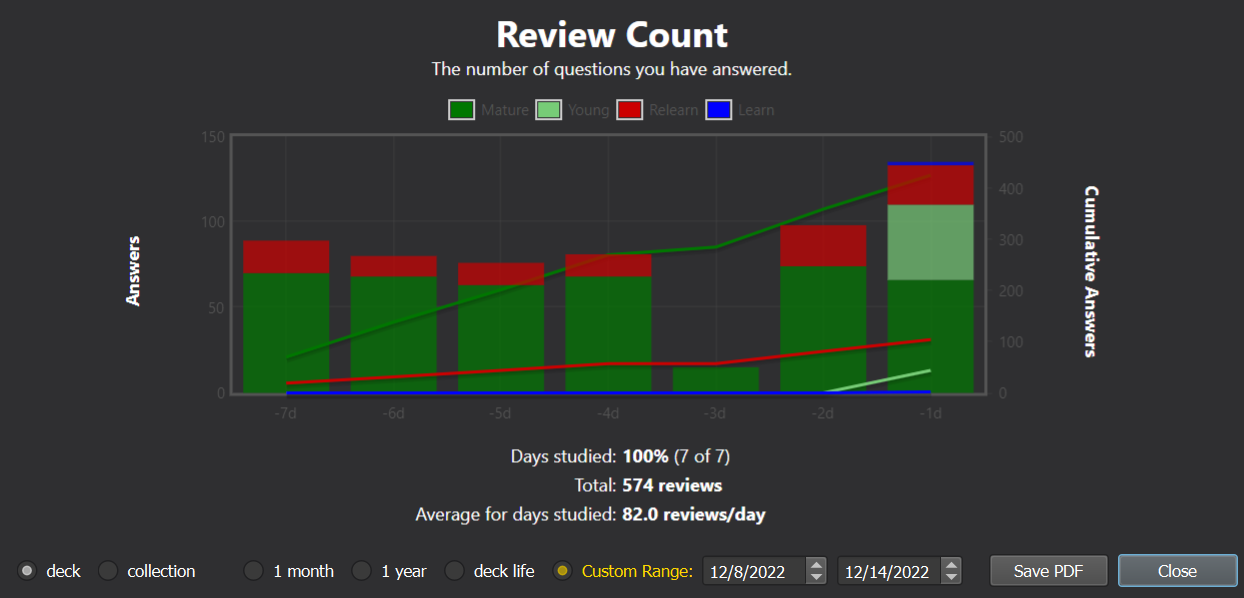
Custom Stats Range (CSR) is an Anki add-on that lets the user supply a custom date range for the Stats window. Enter any start & end date instead of being confined to the default “1 month,” “1 year,” and “deck life.”
View the source code and leave suggestions or bug reports on GitHub.
Screenshots
Important: you must use the old Stats window, by shift-clicking the Stats button. The new Stats window (added in 2.1.28) is written with a different framework which is much harder to modify as it requires complex & undocumented JavaScript injections. Features Better fine-tuning over which statistics you want to see Compare your performance over time (“this week vs. last week”, “this month vs. last month”, etc.) Make ranges as large or as small as you like Compatibility
I have tested on the following Anki versions:
2.1.54, Qt6 build 23.10.1, Qt5 build 23.10.1, Qt6 build
It’ll probably work on older versions too, but I can’t make any guarantees — it’s a lot of work to test multiple versions. In fact, I can’t even get the old Stats window (shift + click) to show any graphs on 2.1.55 through 2.1.66.
If the add-on is broken in a recent version of Anki, open an issue with debug info and I’ll see if I can fix it.
Notes
Compatibility with other add-ons: This may break other add-ons that modify the Stats window. Anki does not provide an API, and the logic for the default options (“1 month,” “3 month”) has been baked deep into the source code. Thus, I’ve had to overwrite and patch many of the functions that calculate and display statistics. If other add-ons are trying to patch those same functions, one of them will suffer. So far I have made this compatible with Review Heatmap and True Retention, but I haven’t tested alongside many other add-ons.
The Forecast and Intervals graphs are hidden when CSR is on. This is because they usually do not show any relevant information for the custom range.
Screenshots