101
This add-on allows you to add icons to your decks
On Anki, open the addon’s files: go to Tools > Add-ons > deck_icons > Show files On your files explorer, go to to the user_files folder Add icons you’d like for your decks They should be in the png format. They should be named as the deck you want the icon for If you don’t add an icon, default.png will be used Examples
Here are some “deck name”-“icon name” pairing:
“Language” and “language.png” “Language::English.png” and “English.png”
Your icon’s name (hence your deck’s name) should not contain the following characters (the list might not be exhaustive): /, , #, :. Thanks to an anonymous comment for pointing that out!
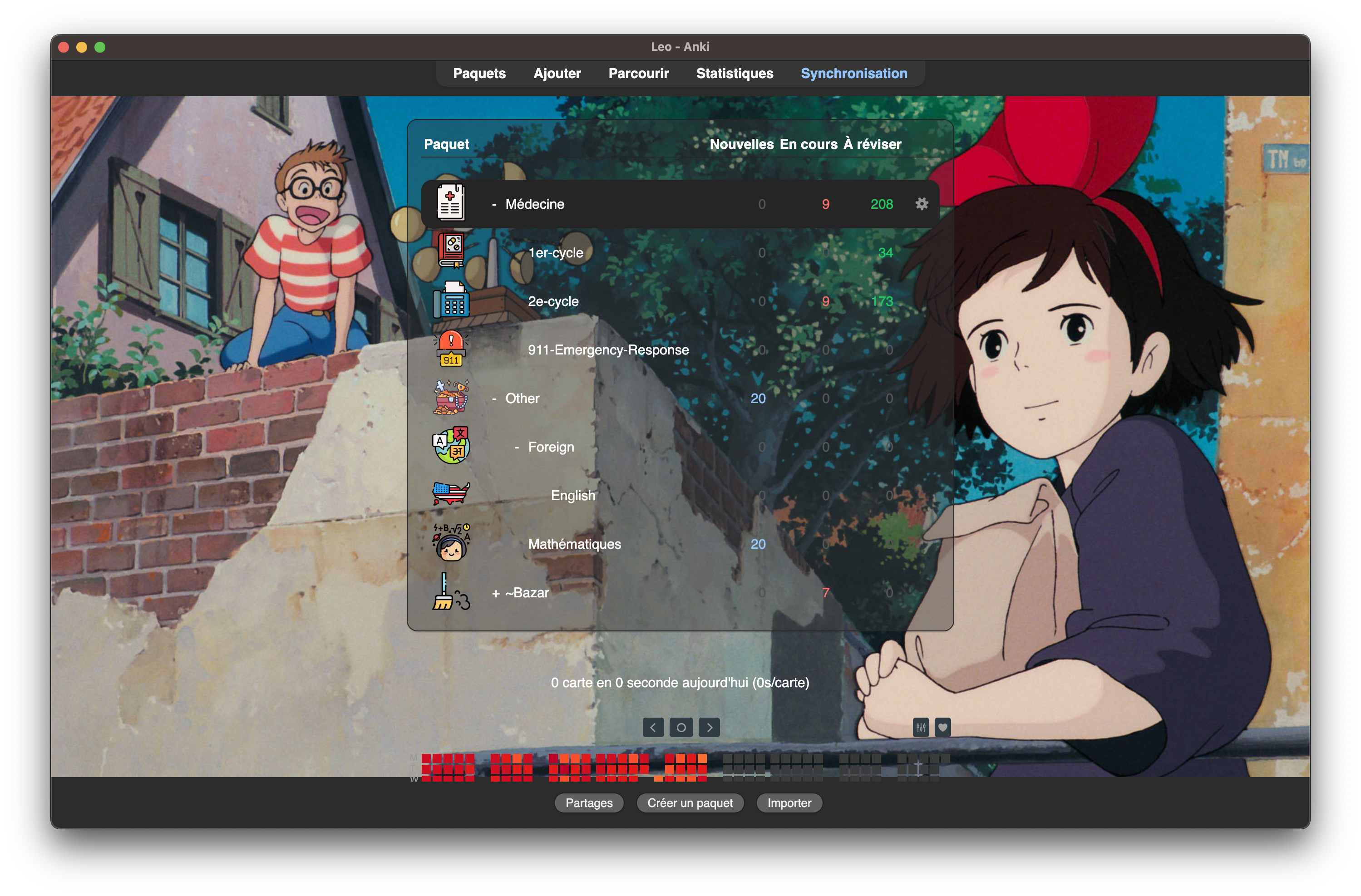
Here what it can look like, combined with the amazing Custom Background Image and Gear Icon by The AnKing.
Where can you find icons?
There are plenty of them on the internet. I love flaticon, that’s where I found the icons in the example above. They were made by Freepik.
Troubleshooting
Let me know in the comments if you run into troubles. I cannot promise I’ll be a good enough coder to solve them, but I’ll try my best! Here is the addon page on GitHub.
Support
If you enjoy this addon, you can support me by buying me one coffee or more on this website ! I talk about how I created this addon on my website on which you’ll also find blog posts (in French) about study tips for medical school.
Screenshots

Liên kết hỗ trợ
Reviews (8)
👍 2025-10-05
Funciona perfeitamente na versão Versão 25.09.2. Só seguir as instruções que não haverá erro.
👍 2025-08-13
Works nicely
👍 2025-05-27
thanks, works great
👍 2025-01-16
Nice and simple and convenient!
👍 2024-11-24
This rules. Note to fellow users: replace the “default.png” to make your own default if you don’t want every single deck to have a unique icon
👍 2024-10-01
the config doesn’t work, name your png image addons21/1519592143/user_files/subdeck.png, rename the deck to remove /<>:”|?* so the filename is valid, # also doesn’t work for some reason but № does
👍 2024-08-01
Hermoso, very very nice thank you four your colaboration, its wors for me, funciona perfecto
👍 2024-06-05
I’ll try this.
