Deckmaker: Automatic Flashcard Creation for Anki
Transform any text on your screen into high-quality Anki flashcards instantly. You shouldn’t have to waste time making cards: spaced repetition works! Let Deckmaker make the cards so you can focus on learning.
This product in beta for now, so you can use offer code EMP4AJN to get a free license key on Gumroad.
For questions or problems, email deckmaker.for.anki@gmail.com
How It Works
Install the Deckmaker add-on for Anki desktop and purchase a license key (one $2 key buys you 100 cards)
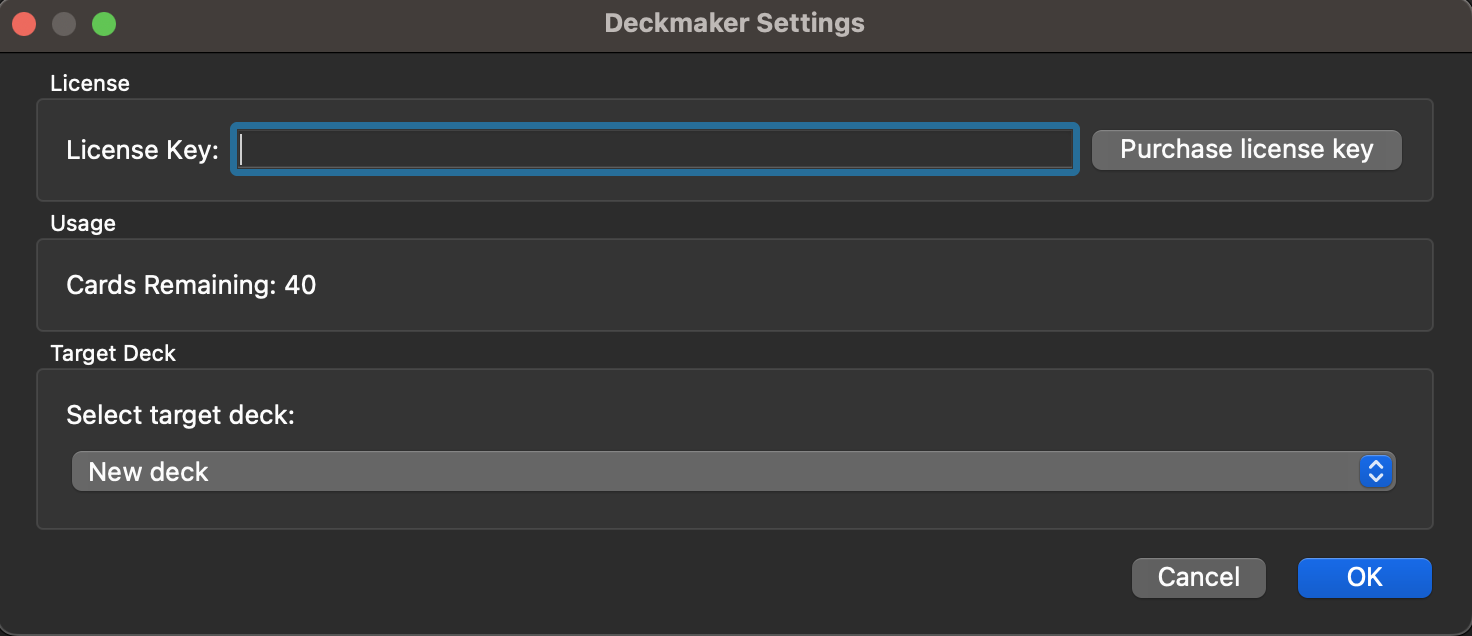
Enter your license key in the add-on settings and select the deck you want to add cards to.
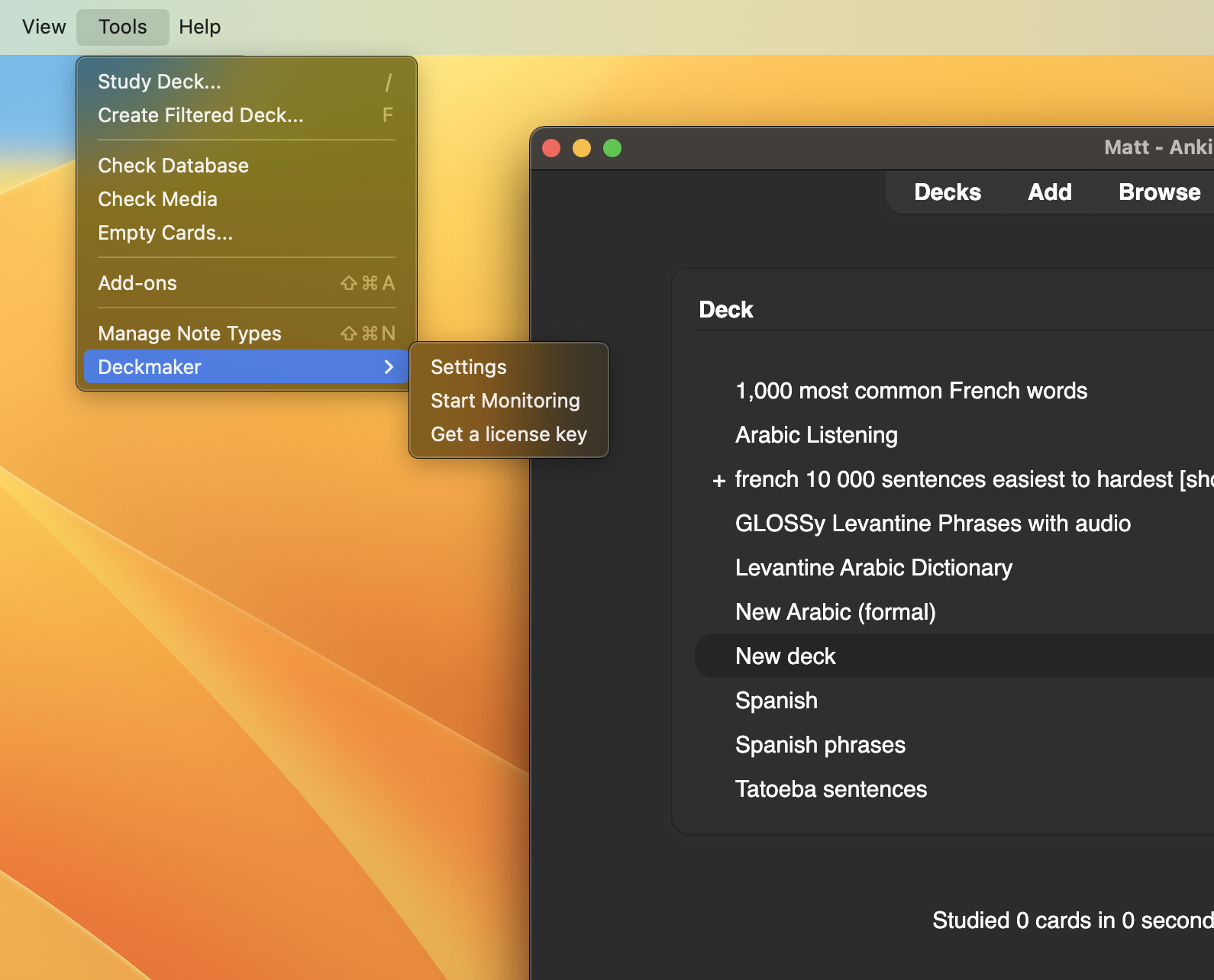
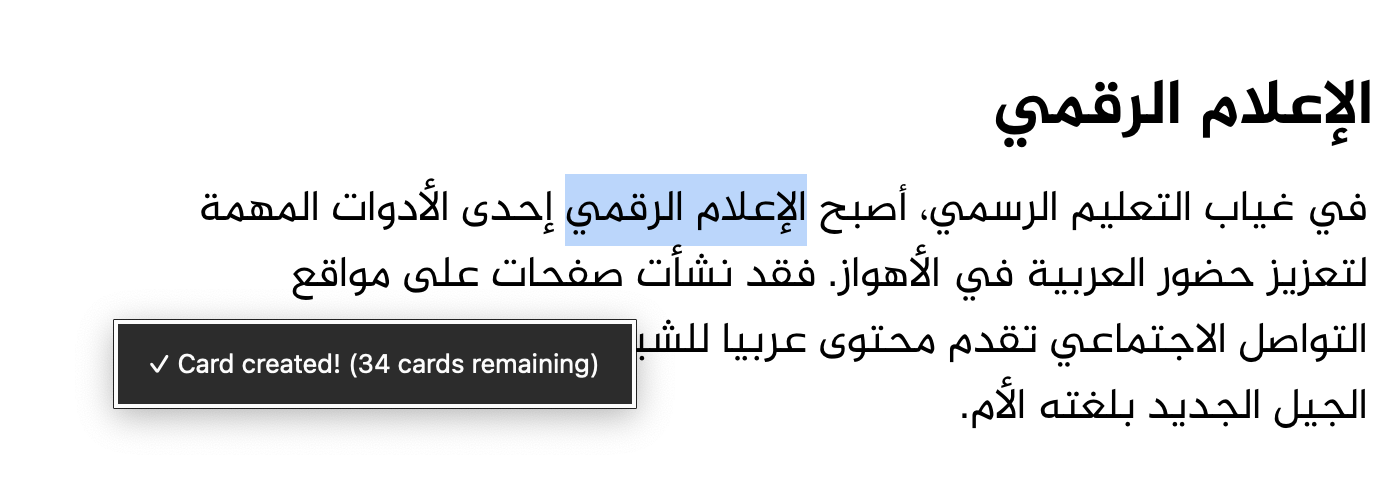
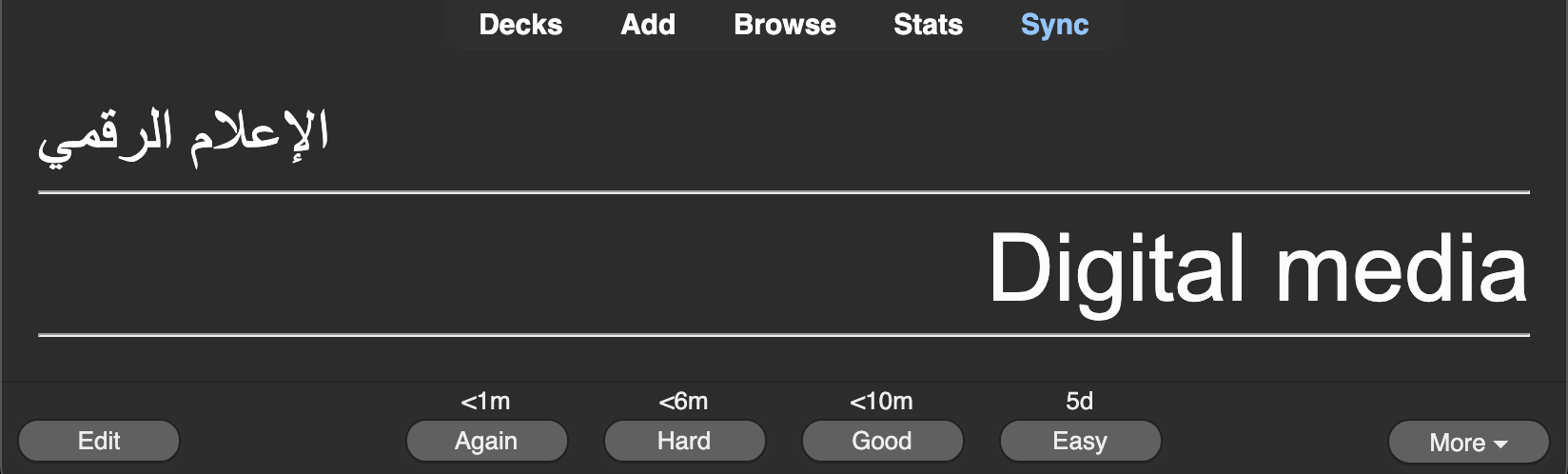
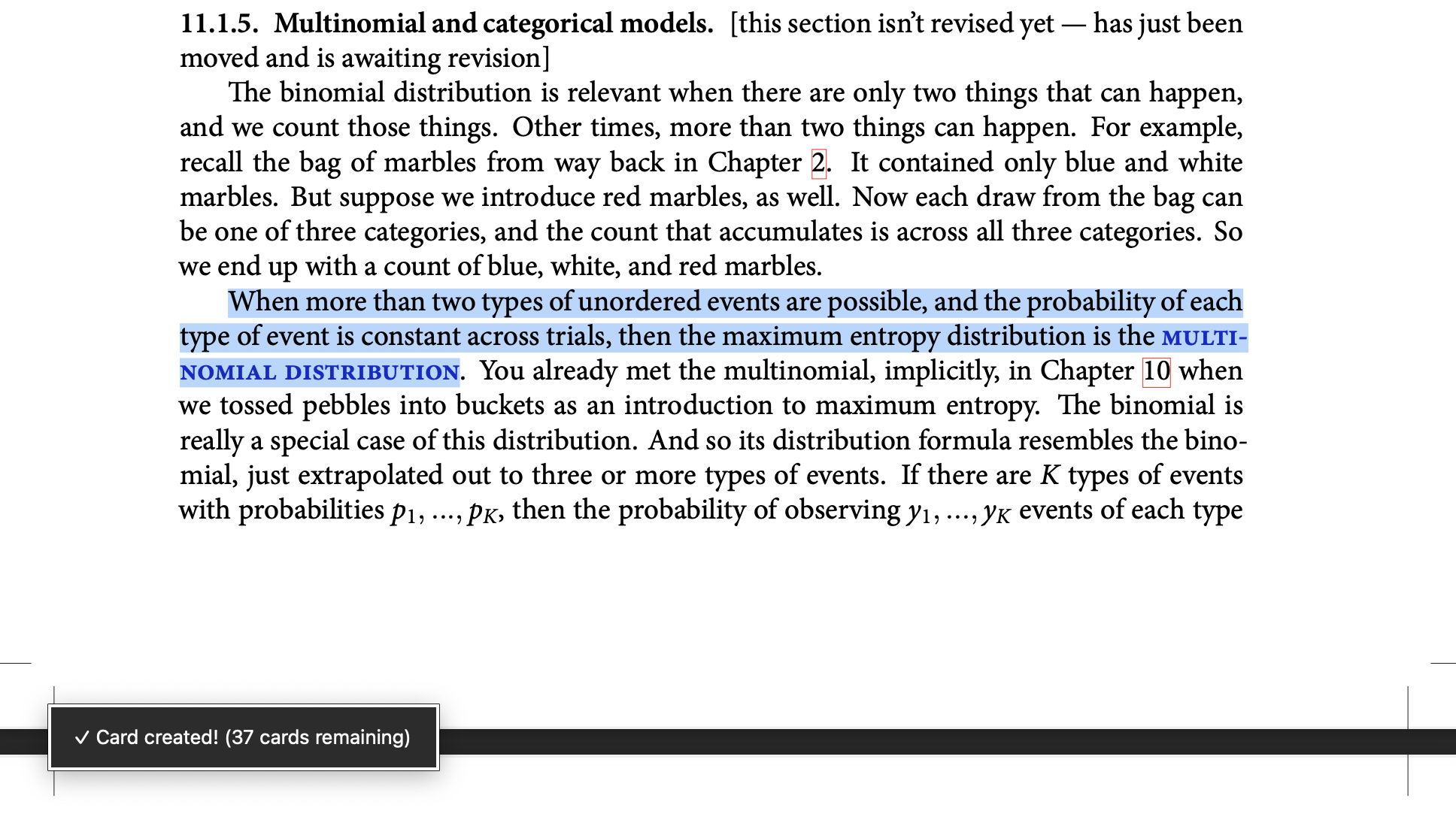
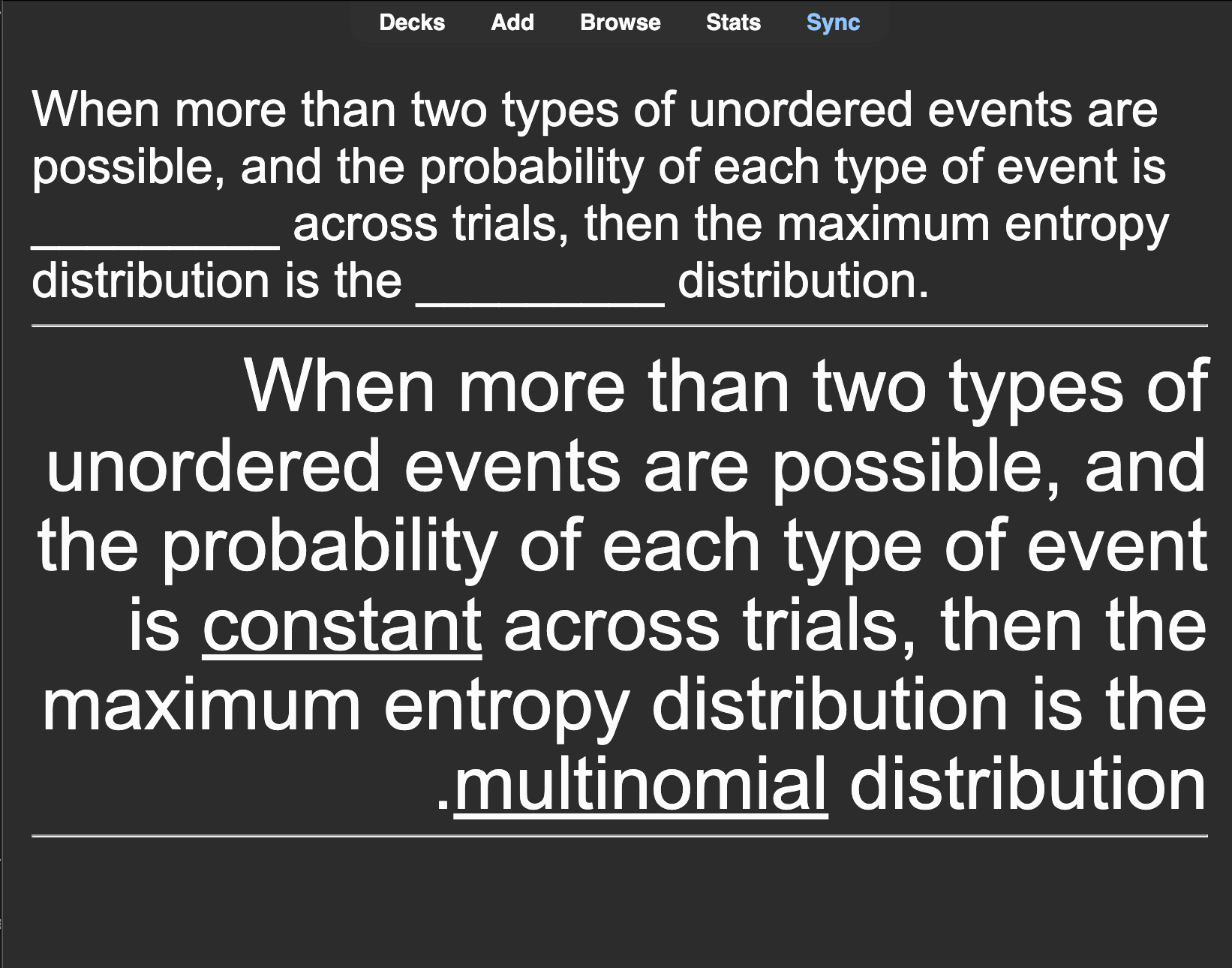
Start creating cards! In the add-ons menu, go to “Deckmaker” and click “Start Monitoring.” Select (highlight) any text on the screen and use your keyboard shortcut for copying that text. A card will be automatically created using the most evidence-backed formats for maximizing retention. Cards are automatically added to your chosen Anki deck
Screenshots
Reviews (2)
👍 2025-03-01
This is AWESOME. Making cards is unbelievably tedious, but this way I can basically just turn whatever onscreen into a flash-card. It basically just guesses what the flash card needs to say —— it’s not perfect, but it saves SO much time.
👍 2025-03-01
It’s great!
